
 Products
All software and pricesPepeFoto photo software
AR Mirror Signature
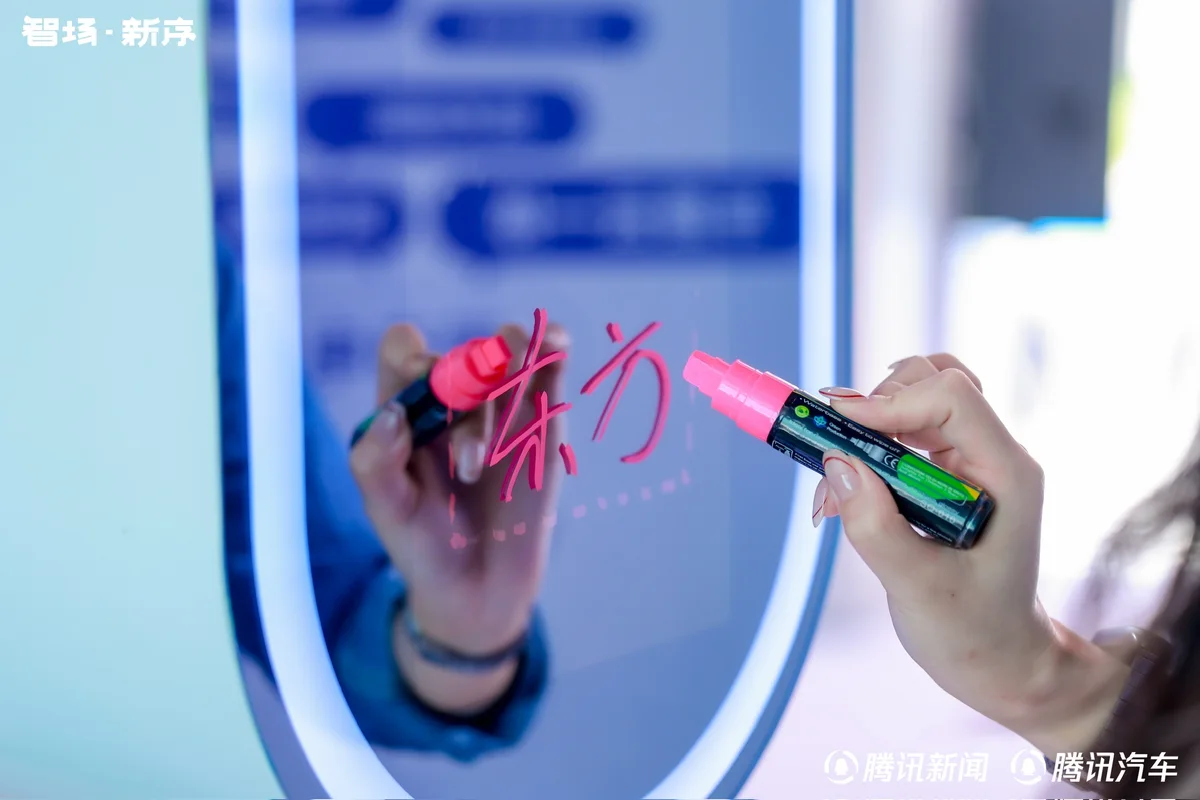
Guests sign on a mirror while a camera behind it films the ink and their expression; the clip is tied to their print and plays when a phone scans it.
- Licence
- ¥5,999≈ $840/ terminal
- Payment
- Once, no annual fee
- Hardware
- Not included

How it differs
Why pick it
- Recorded in-camera: a Canon camera films the signing natively, so ink edges and facial detail keep the camera's own quality.
- Finished automatically: each clip gets the template's intro, outro, frame and music, with no editing on site.
- The clip lives on the print: the photo carries an AR code, and scanning it in WeChat or Alipay plays the signature clip on the photo.
- Included with LenSign: choose the LenSign unit for a complete setup, or buy just the software if you are putting your own kit together.
Compared with
- vsStandard
Standard's Live Photo also plays motion when the print is scanned, but it is a short clip captured automatically with the photo. AR Mirror Signature adds native camera recording, a set clip length and intro and outro templates; Standard adds AI background removal and phone upload.
- vsPro
Pro adds holographic AR photos, AI video and custom style training, and both include AI photos; AR Mirror Signature adds native camera recording, a set clip length and video templates. Choose Pro for AI effects and AR Mirror Signature for signature clips.
- vsPhoto wall
The photo wall spreads photos and videos across big screens, TVs and web pages on a timeline but records nothing itself; AR Mirror Signature records the signing and builds the AR. For signature clips across several screens on a timeline, add the photo wall, which can sync videos from the event album.
Not for, or watch out
- Check your camera first: some Canon bodies, such as the 200D II, cannot record the signature natively, so send us your model to confirm before ordering.
- Open or backlit venues you cannot shade: the mirror picks up reflections and bright backgrounds wash out the ink, so the booth needs to be enclosed.
Where it fits
- Event check-in: guests sign on the mirror as they arrive and leave with a print carrying an AR code.
- Product launches, corporate galas and client appreciation events, where every guest gets a clip of their own signing.
- Signing keepsakes at high-end weddings, major exhibitions, music festivals and sporting events.
- Signing booths inside exhibition halls, set up as an enclosed, shaded space away from hall lights and bright backgrounds.
How it runs on site
- Set up the event
In the PepeFoto console, create the event album, switch on AR and lay out the signature print with its AR code.
- Camera and lights
Mount the camera behind the mirror, add front lights for the ink and the face, and set the camera up as the guide describes.
- Set the clip length
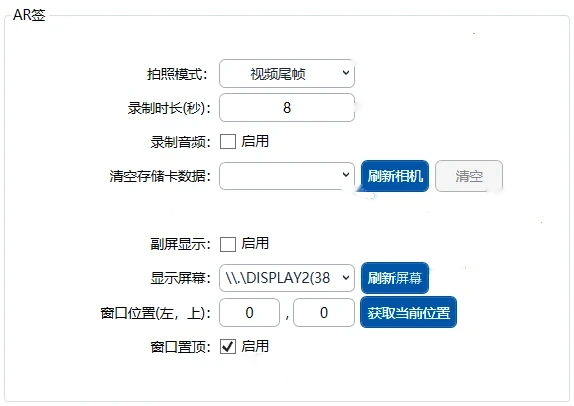
In the booth software, set how long each clip runs (8–10 seconds is recommended) and turn on audio if you want room sound.
- Test before doors open
Have a colleague sign in full from the guest's spot and check the camera's actual recording; open only when the ink and the face are both sharp.
- Guests sign
The guest signs on the mirror while the camera records; the software applies the template and prints the photo with its AR code.
- Scan and watch
Guests scan the code on the print in WeChat or Alipay, the signature clip plays on the photo, and they can save it to their phone.
What you need
| Software | The AR Mirror Signature licence: signature recording, video templates and AR playback, plus basic capture and AI photos. | Included |
|---|---|---|
| PC | Windows 10 or 11 with a 12th-gen Core i5 or better, 8 GB RAM and a 256 GB SSD. | Not included |
| Camera | A Canon EOS DSLR or mirrorless body on a USB cable and dummy battery; some bodies cannot record natively, so confirm your model with us. | Not included |
| Mirror enclosure | The mirror and enclosure are not part of the licence; the camera sits behind the mirror to film the guest. The LenSign unit comes with one. | Not included |
| Printer | Prints the photo with its AR code; most 4x6 dye-sub printers work, such as the HiTi 525, DNP 620 and DNP RX1. | Not included |
| Lighting and shade | Front lights to brighten the ink and fill the face, and an enclosed space that blocks strong light from behind. | Not included |
| Network | Photos and clips upload, the AR takes about 20 seconds to build and guests need a connection to play it, so the venue needs a stable network. | Not included |
What guests get
A print
A photo printed on the spot with an AR code, landscape or portrait, usually 4x6 inches.
A signature clip
A clip of the signing, 8–10 seconds as recommended, finished with the template's intro, outro, frame and music, with room sound if you want it.
AR on the print
Scan the code and point the phone at the print, and the clip plays on the photo, with no app to install.
A copy to keep
After watching, guests can save the clip to their camera roll and share it.
Costs
| Software licence | ¥5,999≈ $840 | Per terminal, perpetual, no annual fee; hardware excluded. |
|---|
- Each signature clip turned into AR uses one AR display charge (100 credits); photos with an AI style are charged on top, as set out on the credits page.
- The PC, camera, printer, mirror enclosure and lights are not included; the full setup and services follow the quote.
- The cloud album, where guests watch and download their clips, is CNY 999 a year with 10 GB; video fills space quickly, and storage add-ons are available.
Credits it uses
Charged per use; the credits page is the reference. 1,000 credits = CNY 10.
| AR Display | 100 | AR display for Live Photos, AI video and recorded video. Only the generation is billed. |
|---|---|---|
| Standard AI | 100–200 | General image restyling — comic, cyberpunk and similar. Handles group shots. |
Every feature
- Edit videos.
- Record AR mirror-signature videos.
- Automatically edit recorded clips.
- Apply templates with intros, outros, frames and music.
- Record high-definition video.
- Use native Canon camera video recording.
- Set the recording duration.
- Manage devices remotely.
- Fully customise the user interface.