 Products
PepeFoto Wall
One local PC puts event photos on big screens, Android TVs, web browsers and e-ink frames at once. You decide where photos come from, which screens show them and how the wall moves.
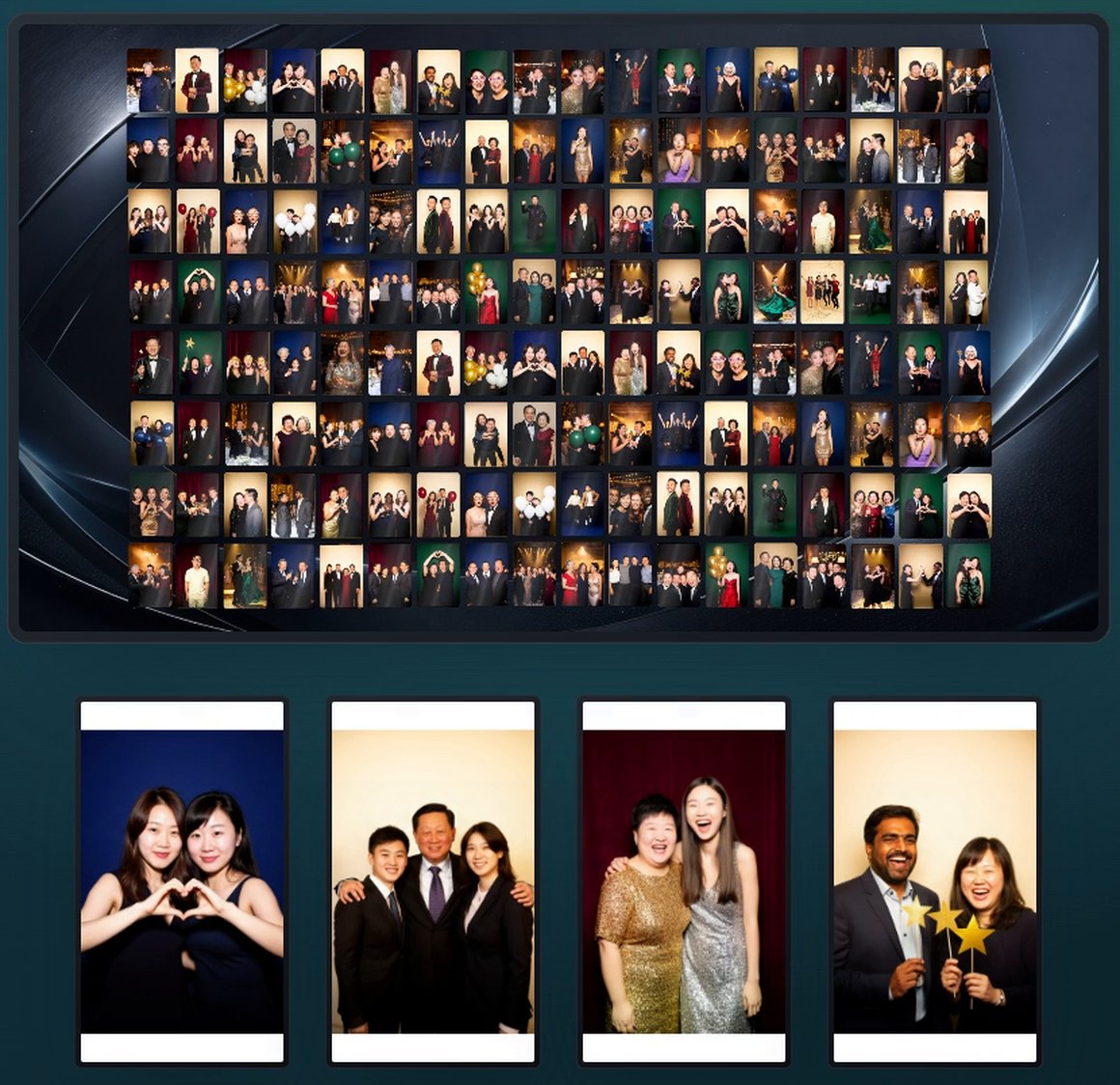
Real v1.2.8 players · demo photos, AI-generated people
The photo wall in 86 seconds
A walk through the released v1.2.8: sources, routing, big-screen animations, logo mosaics, the TV wall and iPad control.
Demo data; people in the film are AI-generated.
One PC, four kinds of screens
The console and every player live on the local network — no cloud needed. The same device address shows the same picture in a browser or the TV app.
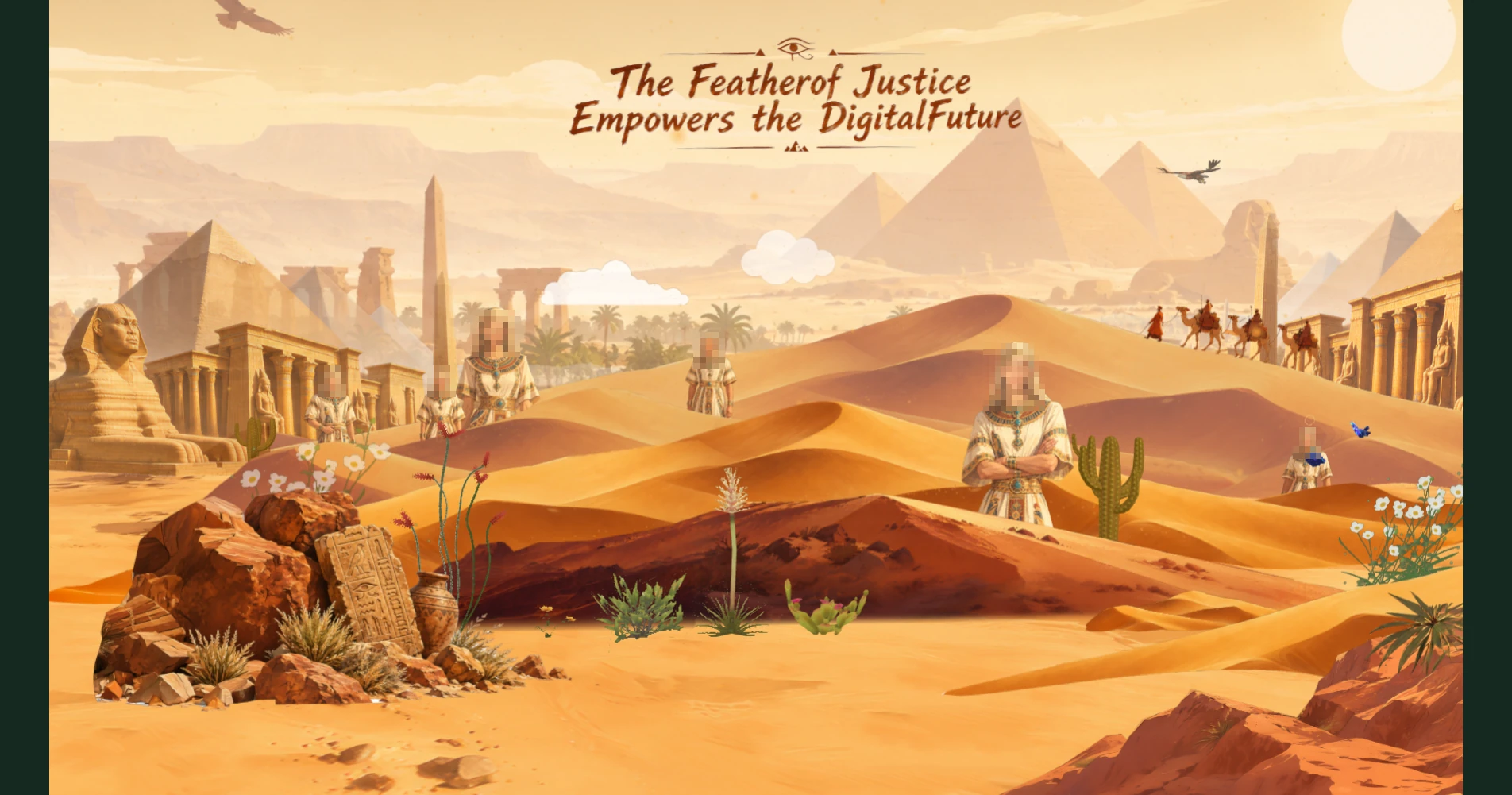
The big screen also has a 3D stage mode: cut-out portraits step into a 3D scene (transparent PNG photos only). See the guide ↗
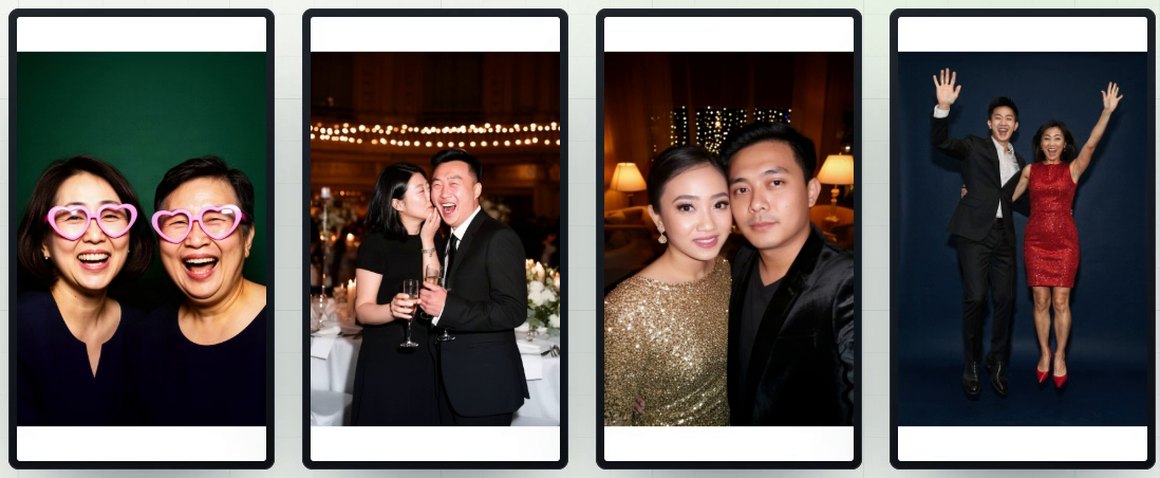
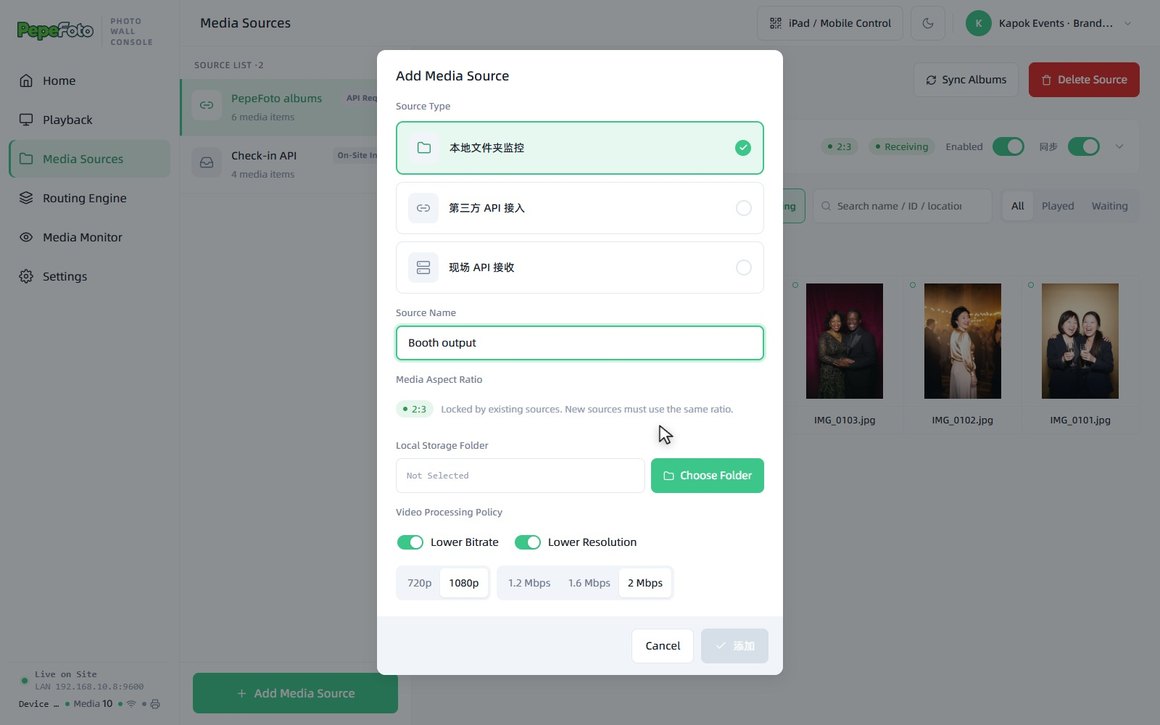
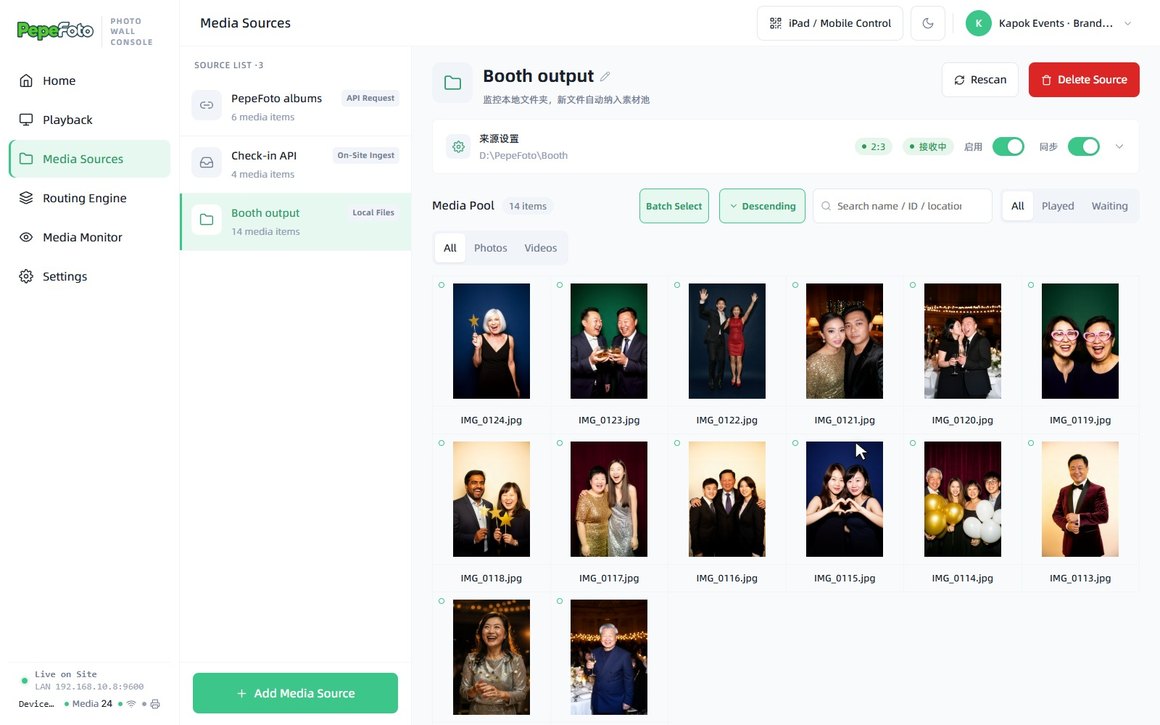
Bring photos in your way
Add sources as you go. Every source shares one aspect ratio, and photos are rotated and cropped before they join the pool.
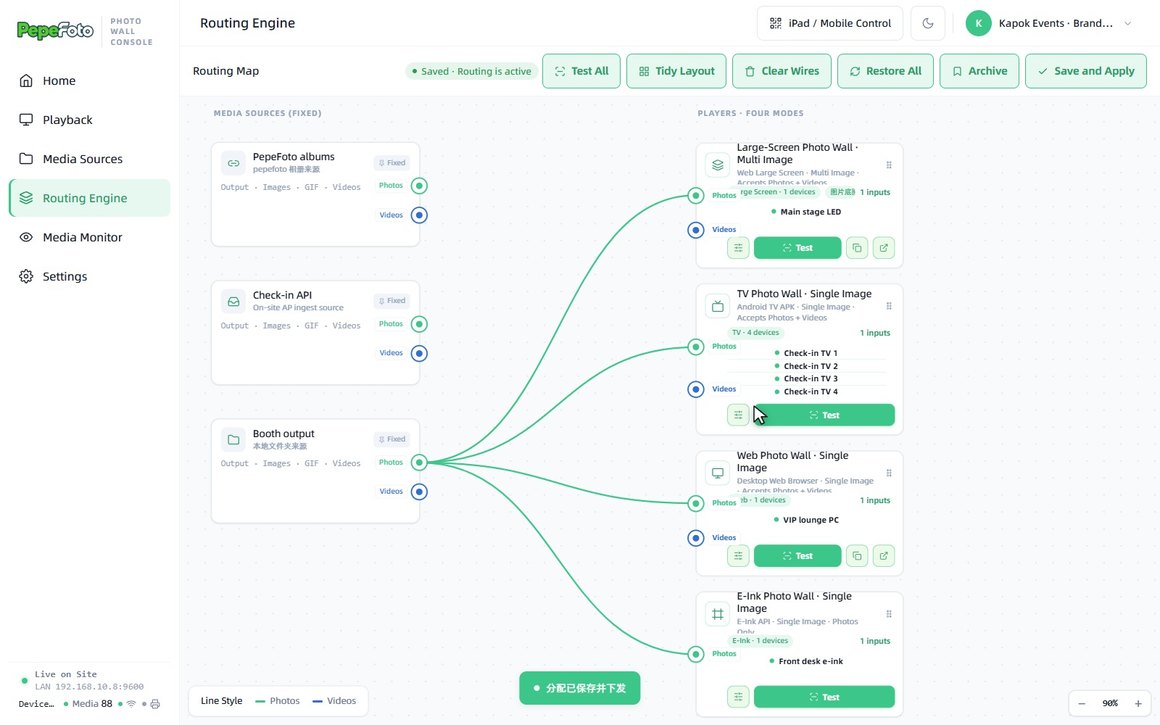
Routing engine: drag a line, fill a screen
Sources on the left, the four screen types on the right. Wire a source to a screen type and it plays there; photos and videos wire separately, and Save and Apply sends it live.
Animation designer: nine animations on your timeline
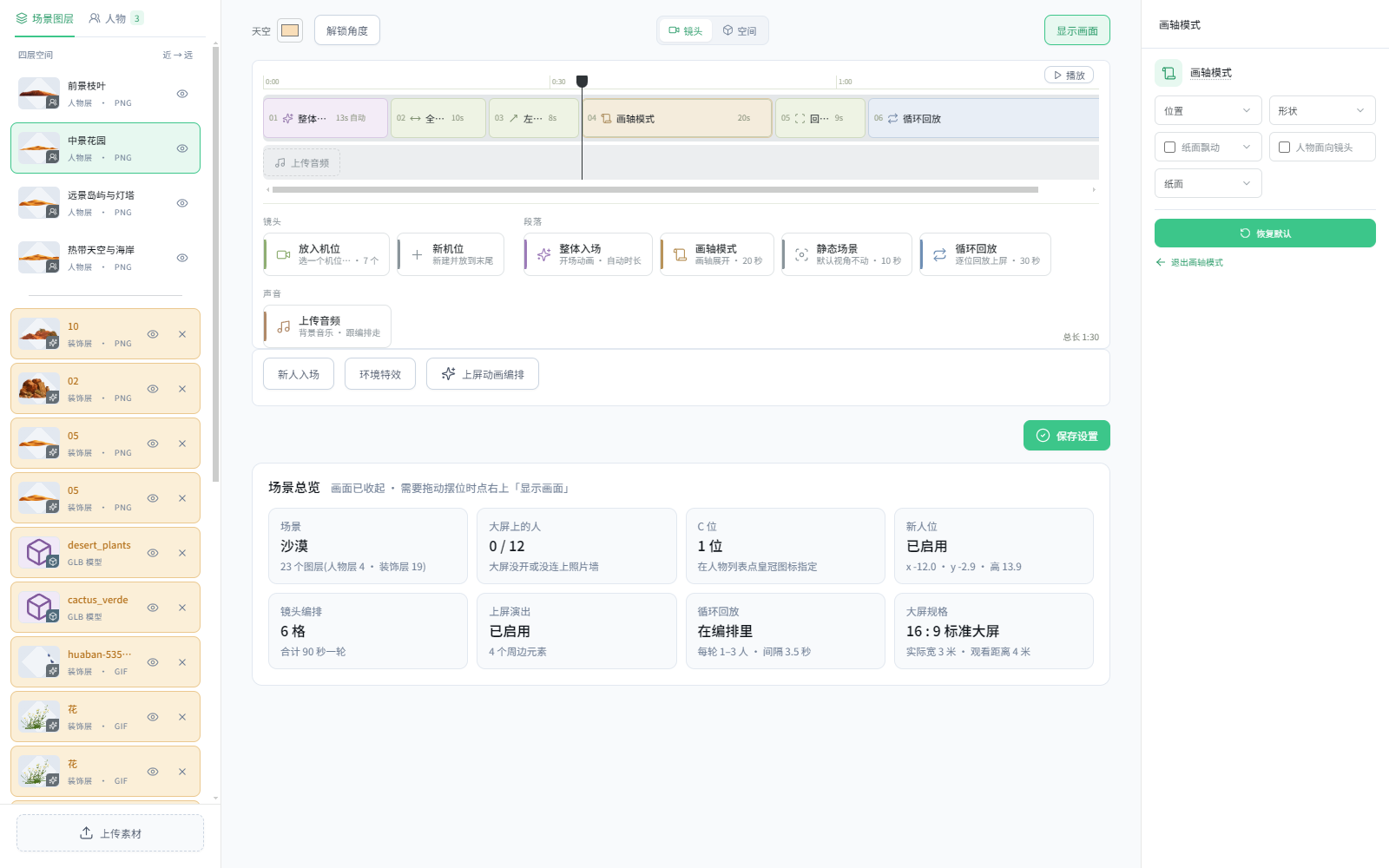
Tap + to add a segment and drag to reorder; set the length and style of each (3D cards or flat, edge material, sharpness). The preview uses real photos, and saving sends the plan to the big screen.
- Flip wall
- Photo mosaic
- Logo mosaic
- Wave pop
- Carousel
- Relay
- Scroll
- Twin rings
- Photo sphere
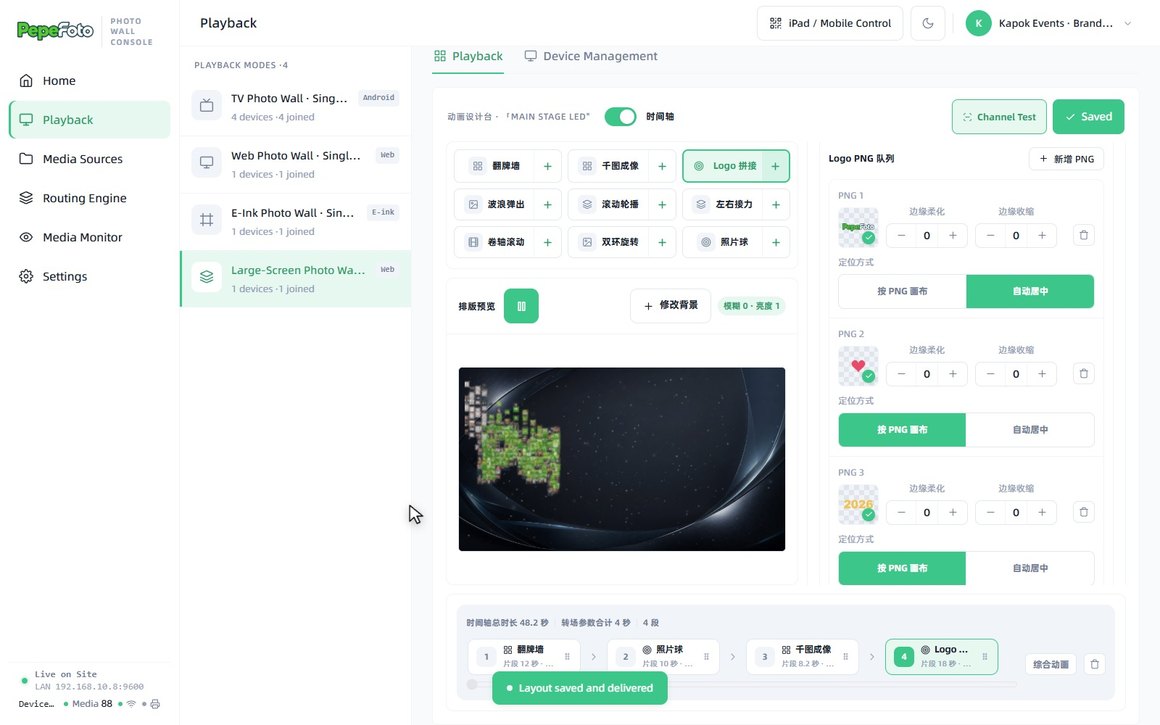
Photo mosaic and logo mosaic: guests form any shape
The whole wall becomes one big photo. Upload transparent PNGs and the wall spells each one out in turn — the wordmark, heart, 2026 and flower below are all made of guest photos.
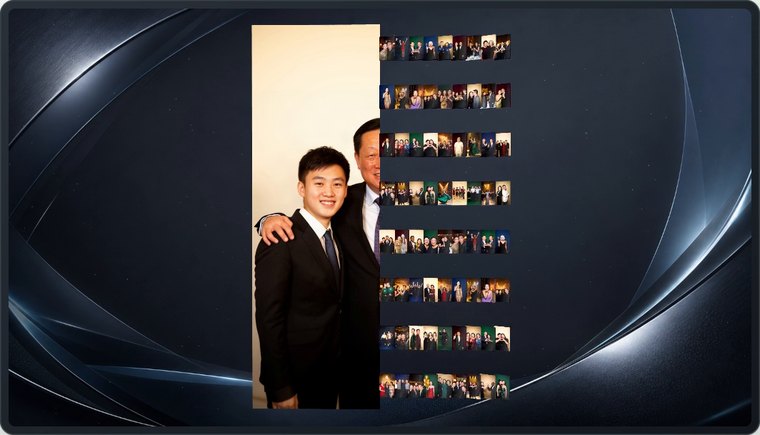
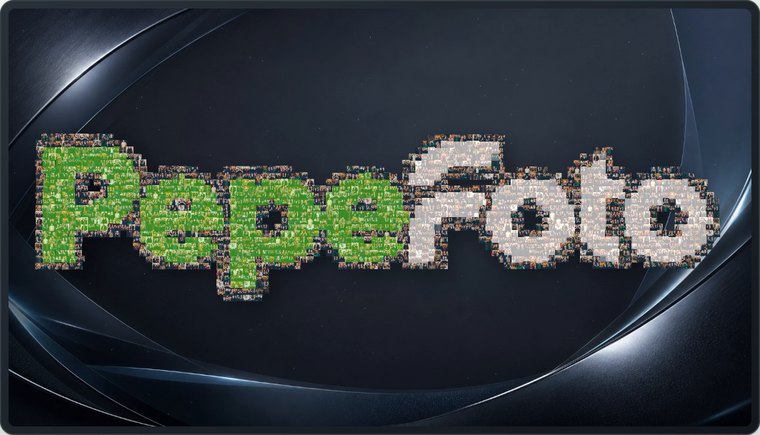
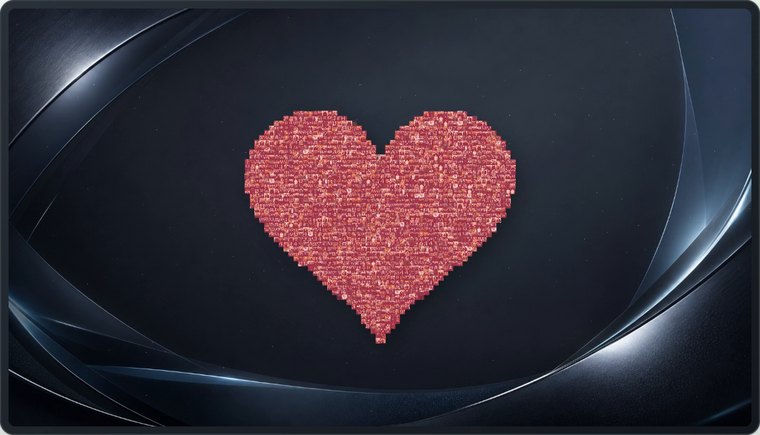
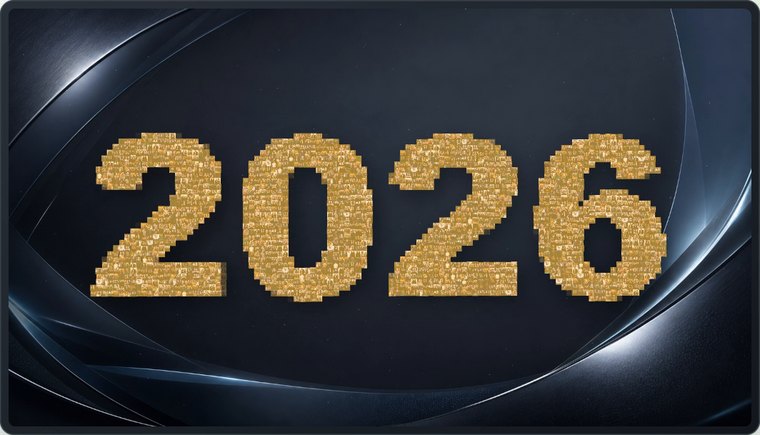
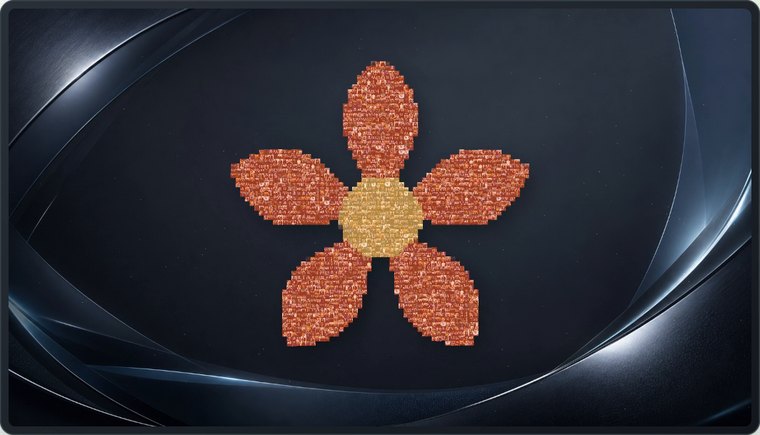
Customisation demo
Add an on-site API source with its own push address and key, wire sources to screens, reorder the animation timeline, swap in your event logo, and the wall updates on save (56 s, bilingual subtitles, demo data)
Android TVs: line them up, get a photo wall
Install the APK (bundled with the software) and pair each TV by scan or code. Arrange them by column and row as they stand, even in portrait; set how long each photo stays and which way the row moves. Every TV shows a different photo and the row changes together. If the network drops, TVs keep playing by the last rules.
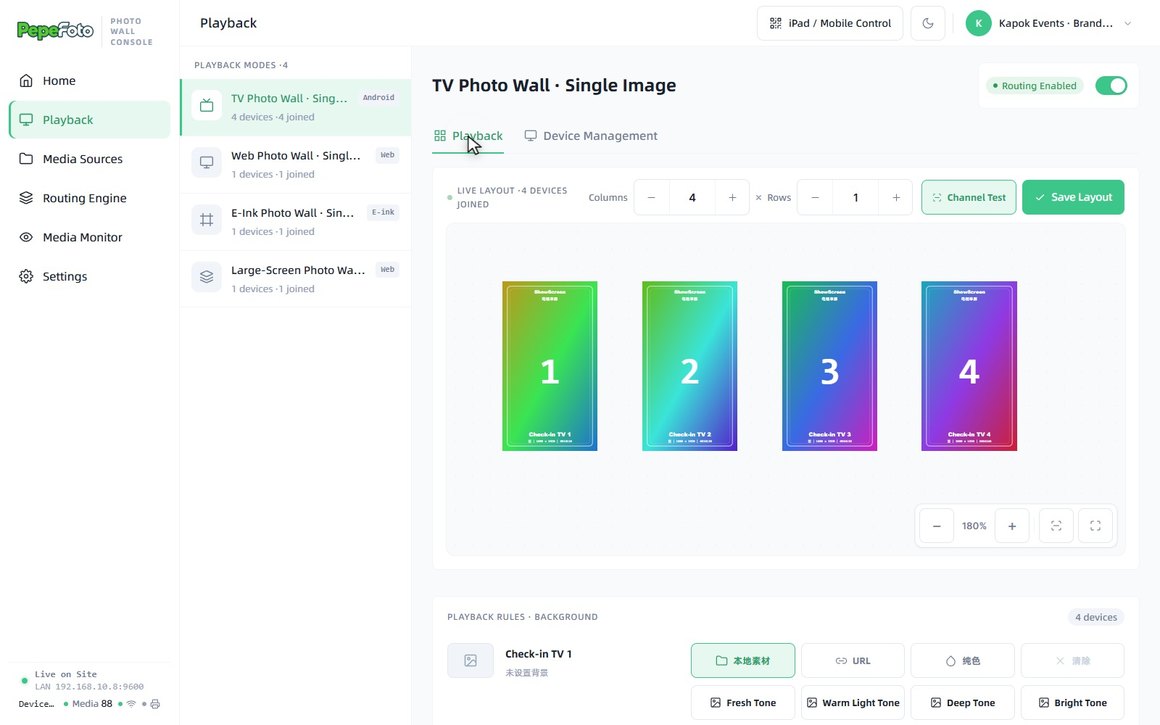
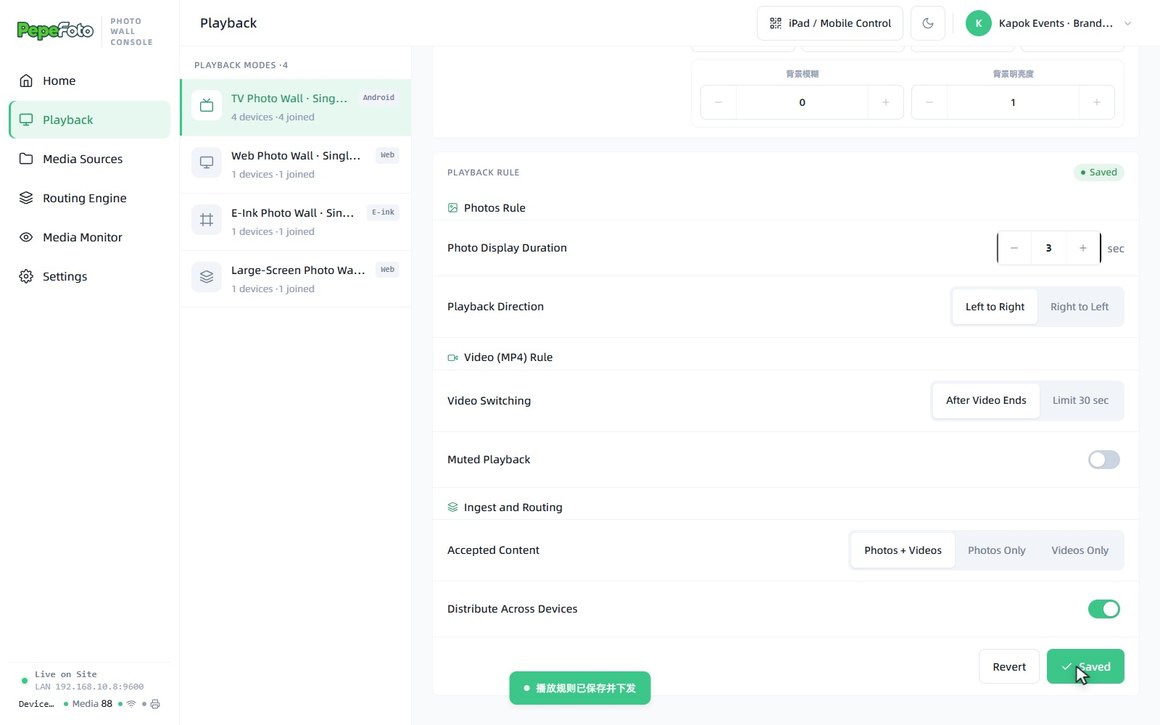
Run the room from an iPad
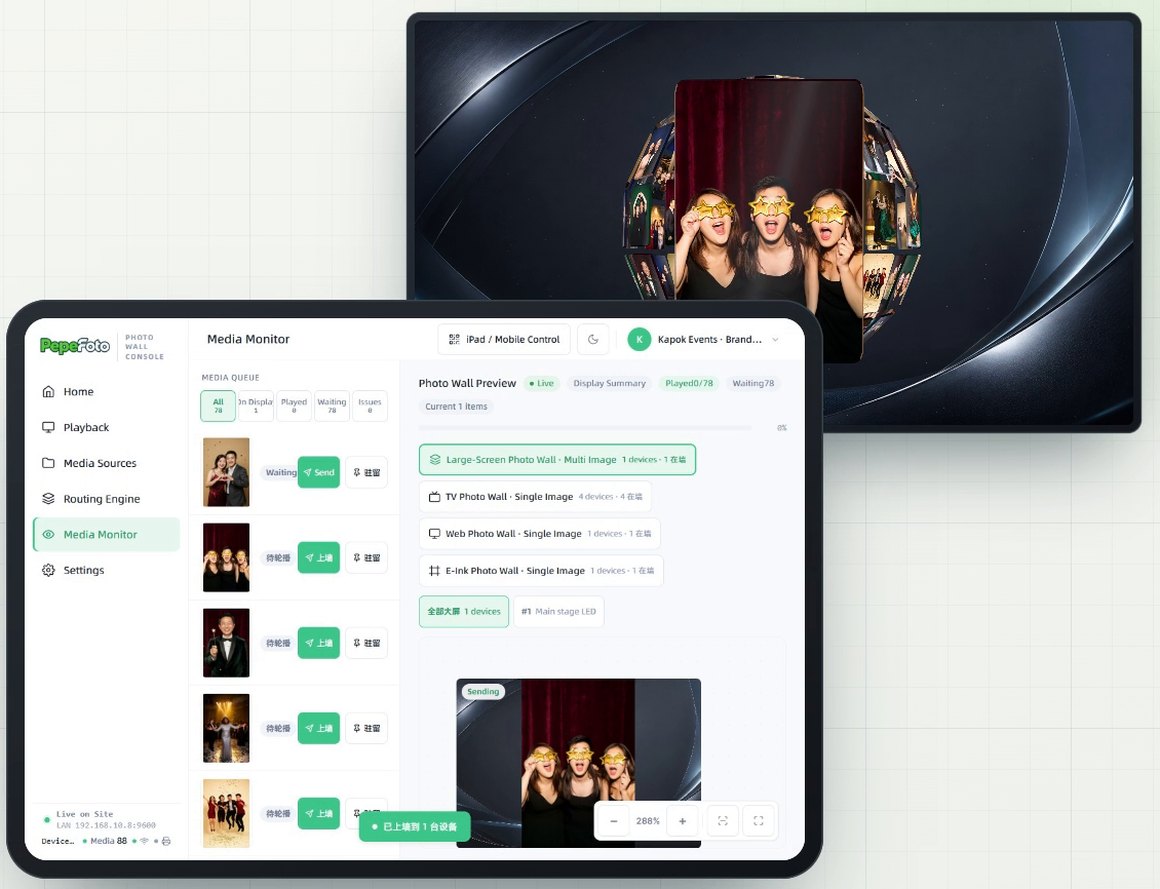
The iPad / Mobile Control button shows a QR code; scan it to open the same console on an iPad (allow it once on the host). The media monitor shows a preview for each device (not a live feed of the screens; what is on site is what counts), and one tap sends or pins a photo; the home page can pause everything.
Software licence
PepeFoto Wall is sold as a perpetual software licence with no annual fee; screens, TVs, e-ink frames and other hardware are not included. The device allowance and accompanying services are specified in the quote.
How it differs
Why pick it
- One PC runs four kinds of screen: animated multi-photo walls on big screens, single photos on TVs, browsers and e-ink frames, each with its own rules.
- Photos arrive on their own: from a booth's output folder, PepeFoto albums or the on-site API, and guests can upload by QR code too.
- Big screens worth watching: nine animations on a timeline, with photo and logo mosaics that build a large picture or your event logo from guest photos.
- 3D stage: guest portraits stand inside a branded 3D scene, and new arrivals can get a camera push-in and a name plate.
Compared with
- vsStandard
Standard, and so Pro, has a built-in live photo wall display. The Photo wall is separate software and adds what their lists do not: several photo sources, four kinds of screen with their own rules, timeline animations and the 3D stage. Capture, printing and QR delivery stay in the photo software.
- vs360 video software
The 360 software's big screen shows the 360 clips and AI videos, each with its own collection QR code, laid out with a distribution template. The Photo wall's list has no grading or review of clips and no collection codes; it routes photos and videos from many sources to several screens and animates them.
Not for, or watch out
- Portraits with the background still on: the 3D stage needs transparent PNGs, the Photo wall does not cut them out, and uncut photos show a block of colour.
- Screens on separate networks: players usually need to share a local network with the host PC.
- Video on e-ink frames or the 3D stage: both take photos only, so videos do not play there.
Where it fits
- Main-stage LED walls, projectors or video walls, in landscape or portrait, with event photos rotating on the wall.
- Several screens around one venue: a browser in the VIP room or lounge, e-ink frames at check-in and a row of TVs, one photo each.
- A guest wall inside a branded 3D scene: portraits stand in the scene, and once their details are entered, a tap shows a person's name, title and message.
- Guests putting themselves on the wall: they upload by QR code or tap an NFC card, and the photo stays on the chosen screens for the time you set.
How it runs on site
- Add sources
Add a booth's output folder, PepeFoto albums or the on-site API; new photos flow into the pool.
- Pair the screens
Pair each big screen, TV, browser or e-ink frame by scan or code, and switch playback on.
- Rules and animations
Set how long photos stay and whether each screen type takes photos, videos or both; line up the big-screen animations on a timeline.
- Route and go live
Route each source to the screens that should show it; nothing goes up until you save and apply.
- Set up the 3D stage
Load the scene package, open the player address full screen in a browser on the big-screen PC, then adjust the scene and camera.
- Open guest uploads
Turn on QR uploads or NFC taps, choose how long they stay and on which screens, put the QR code out, and switch it off afterwards.
- Run the room
Send up or pin a photo when needed, from the PC or an iPad.
What you need
| Software | The Photo wall console, with the Android TV player app in the installer. | Included |
|---|---|---|
| Host PC | The PC that runs the Photo wall; confirm the spec with us before ordering. | Not included |
| Screens | LED walls, projectors or video walls for multi-photo display; Android TVs, any computer browser or KoKonna e-ink frames for single photos. | Not included |
| Local network | The host PC and screens share a local network; for on-site API pushes, the sender must be able to reach the host PC. | Not included |
| Photo source | A booth's output folder, PepeFoto albums, or another system pushing photos through the on-site API. | Not included |
| Cut-out portraits (3D stage) | Transparent PNGs only, up to 20 MB each, cut out before they are sent. | Not included |
| Scene package (3D stage) | A fresh install needs a scene package before any scene appears; we prepare it and send it to you. For your own scene, follow the artwork guide. | Not included |
| Big-screen PC (3D stage) | The 3D stage plays full screen in a browser on a PC that shares the host's local network. | Not included |
What guests get
A moment on the big screen
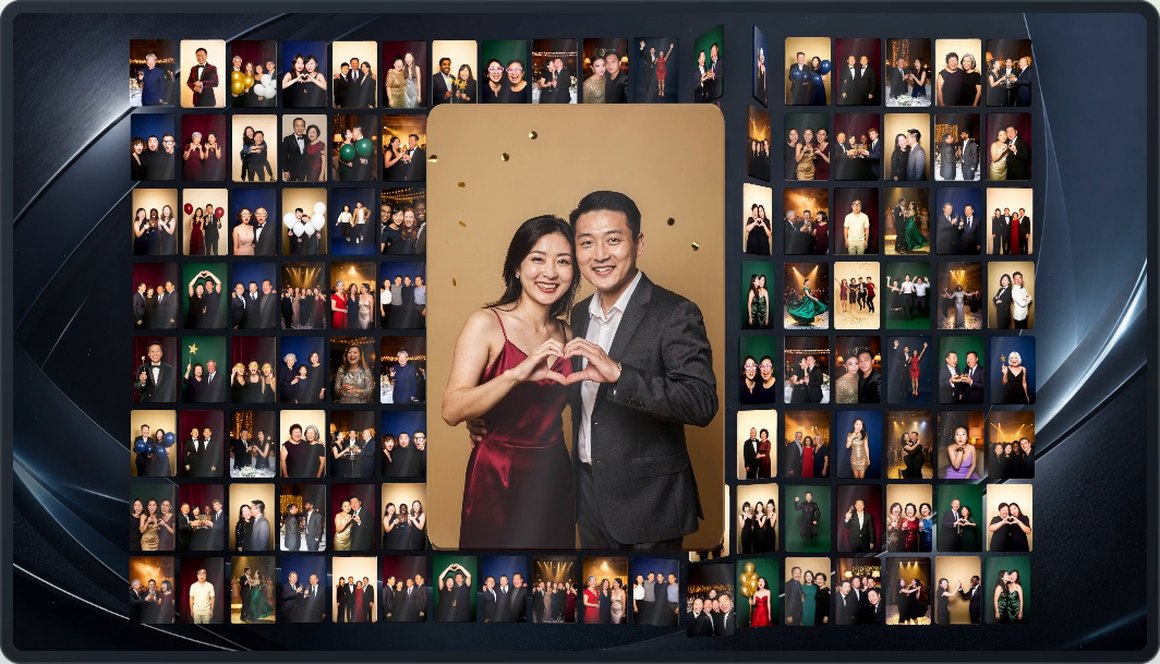
Each new photo gets a close-up in the centre; when a photo or logo mosaic is on the timeline, it joins everyone else's to form the big picture or logo.
One photo per screen
TVs, browsers and e-ink frames show one photo at a time; e-ink shows photos only.
A place in the 3D scene
New arrivals can get a camera push-in, sliding decorations and a name plate; once someone's details are entered, a tap shows their name, title and message.
Their own upload on the wall
Photos uploaded by QR code stay on the chosen screens for the time you set.
Costs
- Photos from PepeFoto photo software need that software's own licence; the Photo wall licence does not include it.
- Transparent PNGs for the 3D stage are cut out at the sending end; cutouts made in the photo software are charged there as AI cutout, as set out on the credits page.
- For a custom 3D stage scene, confirm the content and cost with us before ordering.
No item in the credits table applies to this product.
Every feature
- Import media from local folders, PepeFoto albums or an on-site API
- Route media and manage playback across screens
- Compose display animations and monitor media
- Use transparent PNG portraits in 3D scenes with scene and camera settings
- Single-photo playback on Android TVs, browsers and e-ink frames
- External input by QR upload or NFC tap
- Control the console from an iPad or phone
Guides and questions
Help-centre guides
Common questions
Want a live photo wall at your event?
Tell us the date, how many screens you have and where the photos come from, and we will come back with a plan and a quote. Our Guangzhou showroom is open for visits.