 Products
All software and pricesPepeFoto photo software
AI Stickers
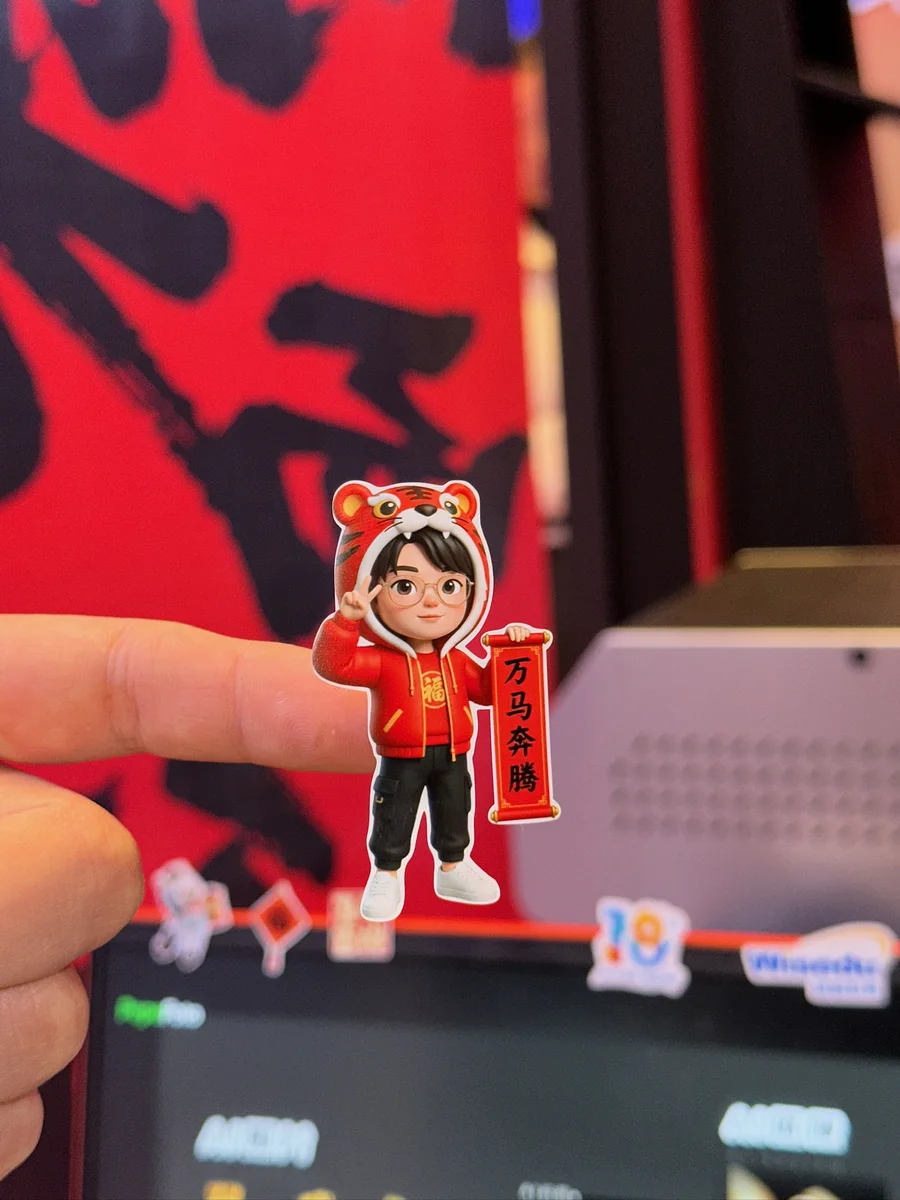
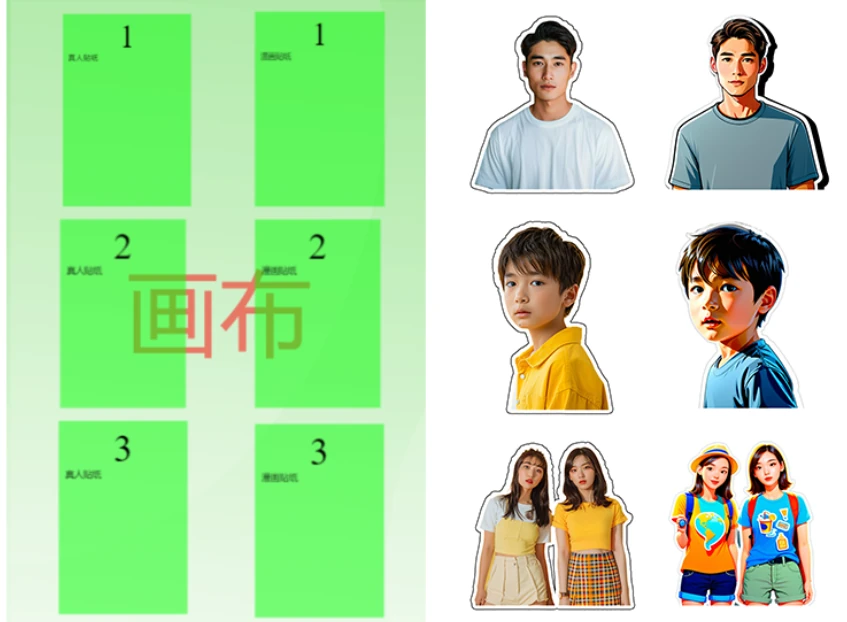
Guest photos become white-outlined stickers, with an optional AI style, printed and cut to shape so they peel straight off.
- Licence
- ¥3,999≈ $560/ terminal
- Payment
- Once, no annual fee
- Hardware
- Not included
How it differs
Why pick it
- Photos straight to stickers: the guest is cut out and outlined in white automatically, and you can export a transparent PNG.
- Printed and cut in one go: with the PepeFoto sticker machine, printing and contour cutting run back to back, with no hand trimming.
- Real or comic: on the same background, the guest can stay photographic or turn into a comic-style character.
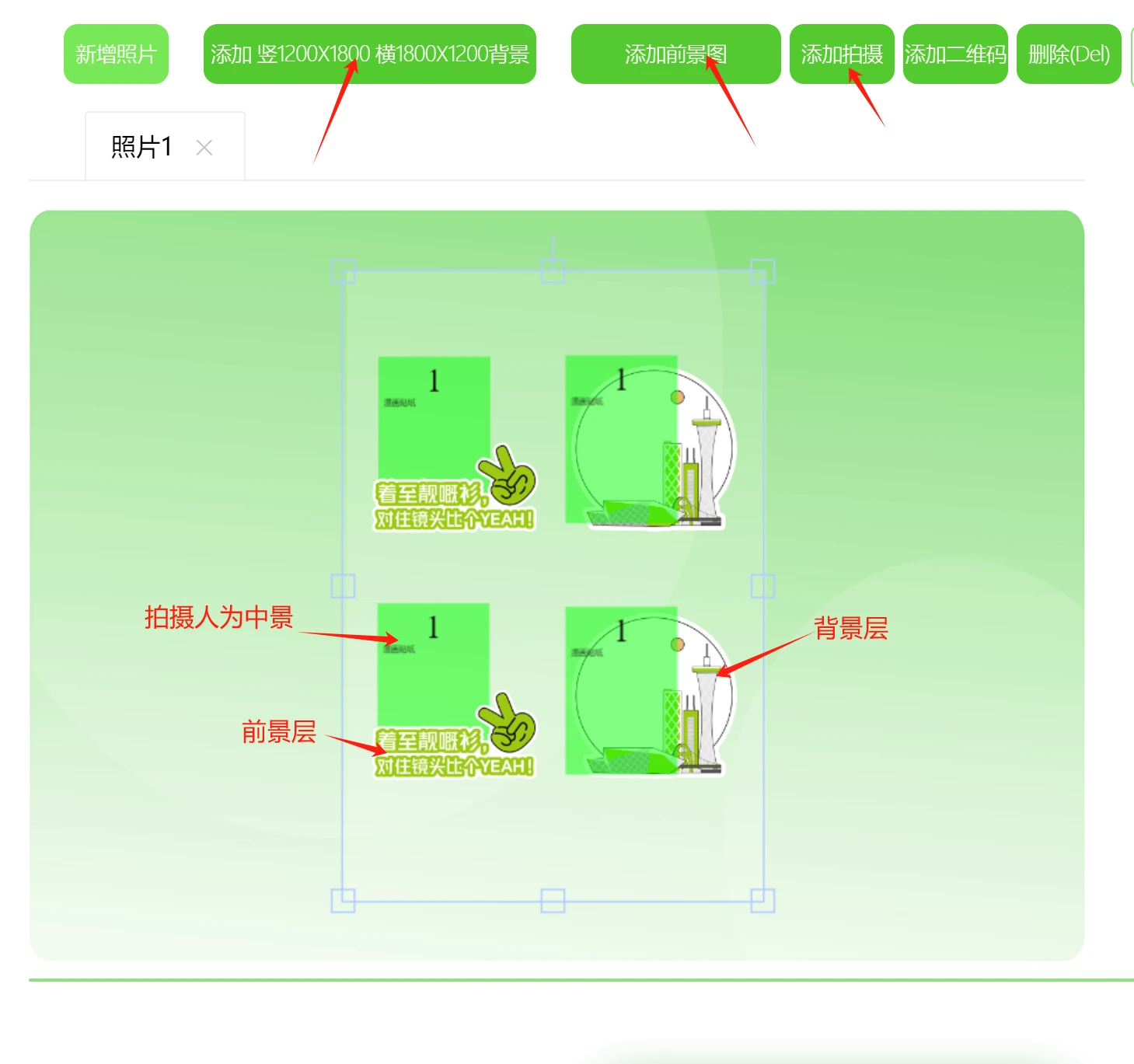
- Your brand in three layers: logos and mascots sit in front of or behind the guest, and you can upload your own PNG stickers for guests to place.
Compared with
- vsStandard
Standard delivers a whole photo and adds Live Photo and printing in sizes from 4x6 to A4; AI Stickers adds white-outlined stickers, AI styles, transparent PNGs and cutter integration. Choose Standard for photos and AI Stickers for stickers.
- vsPro
Pro adds holographic AR photos, AI video and custom style training; AI Stickers adds white outlines, transparent PNGs and cutter integration. Choose Pro for AI effects and AI Stickers for stickers.
- vsPepe print console
The Pepe print console runs UV printing, fitting photos into jig positions and printing them onto objects; AI Stickers makes stickers that peel off. Print onto objects with the console and make stickers with AI Stickers.
Not for, or watch out
- No cutting equipment yet: the licence includes no printer or cutter, so pair it with the PepeFoto sticker machine or compatible print-and-cut equipment.
- Locked-down venue networks: the booth PC and the sticker machine must reach each other on one local network, so on restricted networks such as government ones, bring your own router.
- Plain photo prints only: the outlines and cutting go unused, and Standard is enough.
Where it fits
- Malls, attractions, showrooms and theme parks, where guests leave with a sticker on the spot.
- Brand event keepsakes: the logo or mascot goes in the foreground or background, with the guest in the middle.
- Co-branded labels: the guest's photo with brand details, applied on site to a wine bottle, a drinks bottle or a product pack.
How it runs on site
- Design the layout
In the PepeFoto console, build the sticker layout in three layers (background, guest and foreground) and choose real-photo or comic style.
- Connect the cutter
Put the booth PC and the sticker machine on one local network and link them; compatible equipment connects the way agreed when you order.
- Test cut
Load the sticker media and print and cut one sheet, checking that the cut follows the outline without going through.
- Shoot and generate
The guest picks a style and takes the photo; the software cuts them out, adds the white outline and sets them between background and foreground.
- Decorate
On the edit screen, guests pick emoji or brand stickers from the library and drag, scale and rotate them into place.
- Print and cut
Once confirmed it prints, the sticker machine cuts along the outline and guests peel it straight off; the digital copy can be saved to a phone.
What you need
| Software | The AI Stickers licence: sticker creation, white outlines, transparent PNGs and cutter integration, plus basic capture and AI photos. | Included |
|---|---|---|
| Booth PC | Windows 10 or 11 with a 12th-gen Core i5 or better, 8 GB RAM and a 256 GB SSD. | Not included |
| Camera | A Canon EOS DSLR or mirrorless body (USB cable and dummy battery), or a driverless UVC webcam such as the Logitech 930e. | Not included |
| Printing and cutting | The PepeFoto sticker machine prints and cuts in one unit; compatible print-and-cut equipment also works, with the model confirmed when you order. | Not included |
| Sticker media | The sticker machine uses DNP DS620 sticker media, 400 prints per roll, bought separately. | Not included |
| Network | The booth PC and the sticker machine share one local network, ideally with the sticker machine wired in; AI styles need an internet connection. | Not included |
| Artwork | Backgrounds at 1200×1800 portrait or 1800×1200 landscape with a 90-pixel margin, and a white outline on both foreground and background art. | Not included |
What guests get
Die-cut sticker
A sticker cut to shape and ready to peel, usually on a 6x4-inch sheet, with the guest as a photo or in comic style.
A digital copy
The photo and the sticker file can be saved to a phone, and transparent PNGs can be exported.
Costs
| Software licence | ¥3,999≈ $560 | Per terminal, perpetual, no annual fee; hardware excluded. |
|---|
- Each print uses 150 credits (sticker print, including one cutout); AI styles are charged on top, as in the credit table's example of 150 + 100 = 250 credits.
- The printer, cutter and sticker media are not included; the PepeFoto sticker machine already comes with this licence, and compatible equipment is confirmed with your order.
- Digital copies are collected through the cloud album service at CNY 999 a year with 10 GB; without renewal the software still works, but the cloud album stops.
Credits it uses
Charged per use; the credits page is the reference. 1,000 credits = CNY 10.
| Sticker Print | 150 | For sticker-machine users; credits are deducted per print. Includes one free cutout (white-edge removal). |
|---|---|---|
| Standard AI | 100–200 | General image restyling — comic, cyberpunk and similar. Handles group shots. |
Every feature
- Create AI stickers.
- Turn photos into stickers with a white outline.
- Export transparent PNG images.
- Integrate compatible cutting machines.
- Automatically print and cut with the PepeFoto sticker machine.
- Manage devices remotely.
- Fully customise the user interface.