

大屏幕照片墙PepeFoto Wall
一台主机本地运行,现场照片自动上墙:大屏、安卓电视、电脑网页、墨水屏一起放。照片从哪来、分给哪块屏、墙上怎么动,都在主控台里自己配。One local PC puts event photos on big screens, Android TVs, web browsers and e-ink frames at once. You decide where photos come from, which screens show them and how the wall moves.
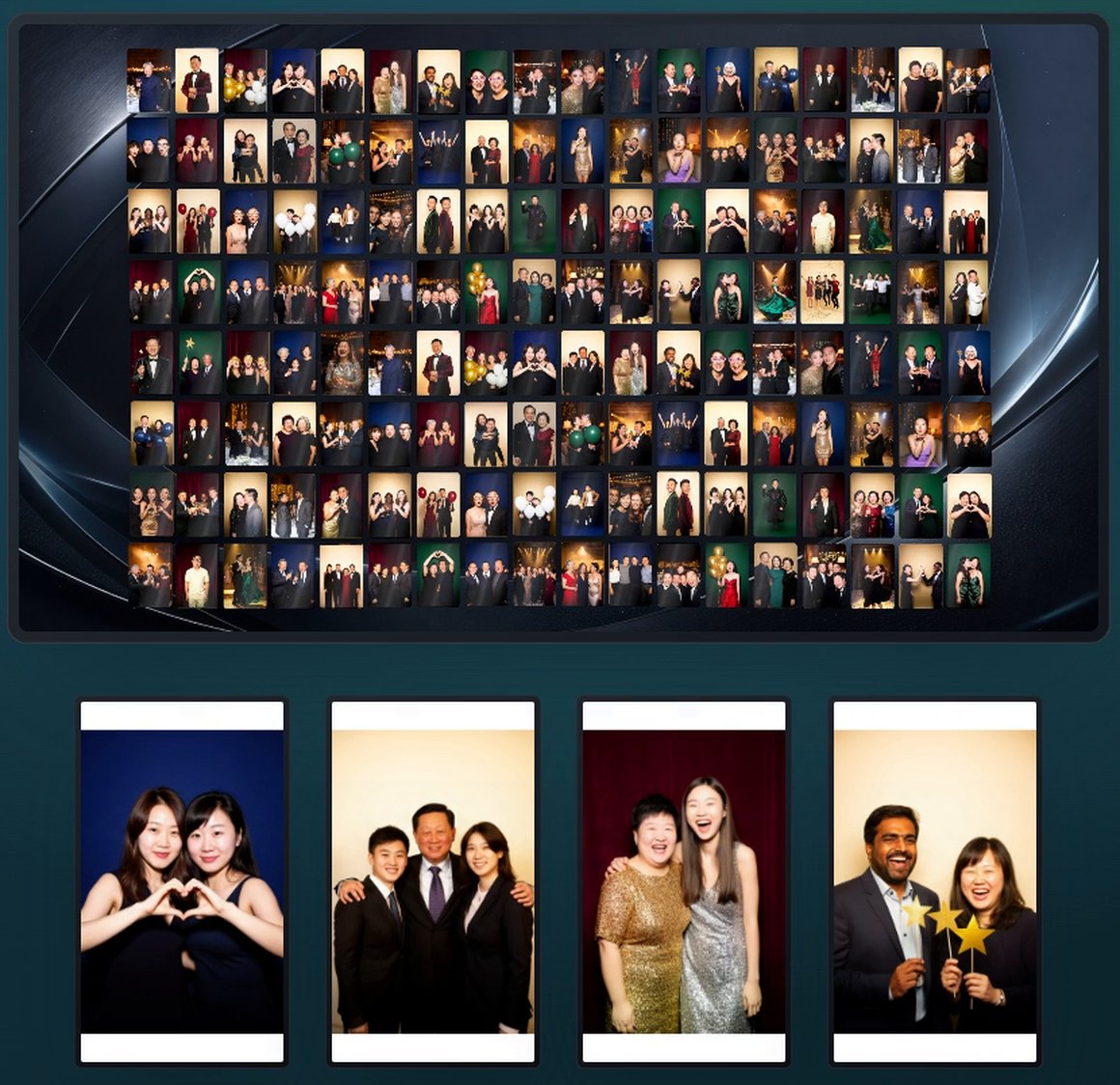
v1.2.8 真实播放端 · 照片为演示,人物为 AI 生成Real v1.2.8 players · demo photos, AI-generated people
86 秒看懂照片墙The photo wall in 86 seconds
用 v1.2.8 正式版走一遍:接来源、拖线分配、大屏动画、Logo 拼接、电视墙、iPad 控制。A walk through the released v1.2.8: sources, routing, big-screen animations, logo mosaics, the TV wall and iPad control.
界面数据为演示,片中人物为 AI 生成。Demo data; people in the film are AI-generated.
一台主机,四种屏One PC, four kinds of screens
主控台和播放端都在现场局域网里,不靠云端。同一个设备地址,网页、电视 APK 打开都是同一画面。The console and every player live on the local network — no cloud needed. The same device address shows the same picture in a browser or the TV app.
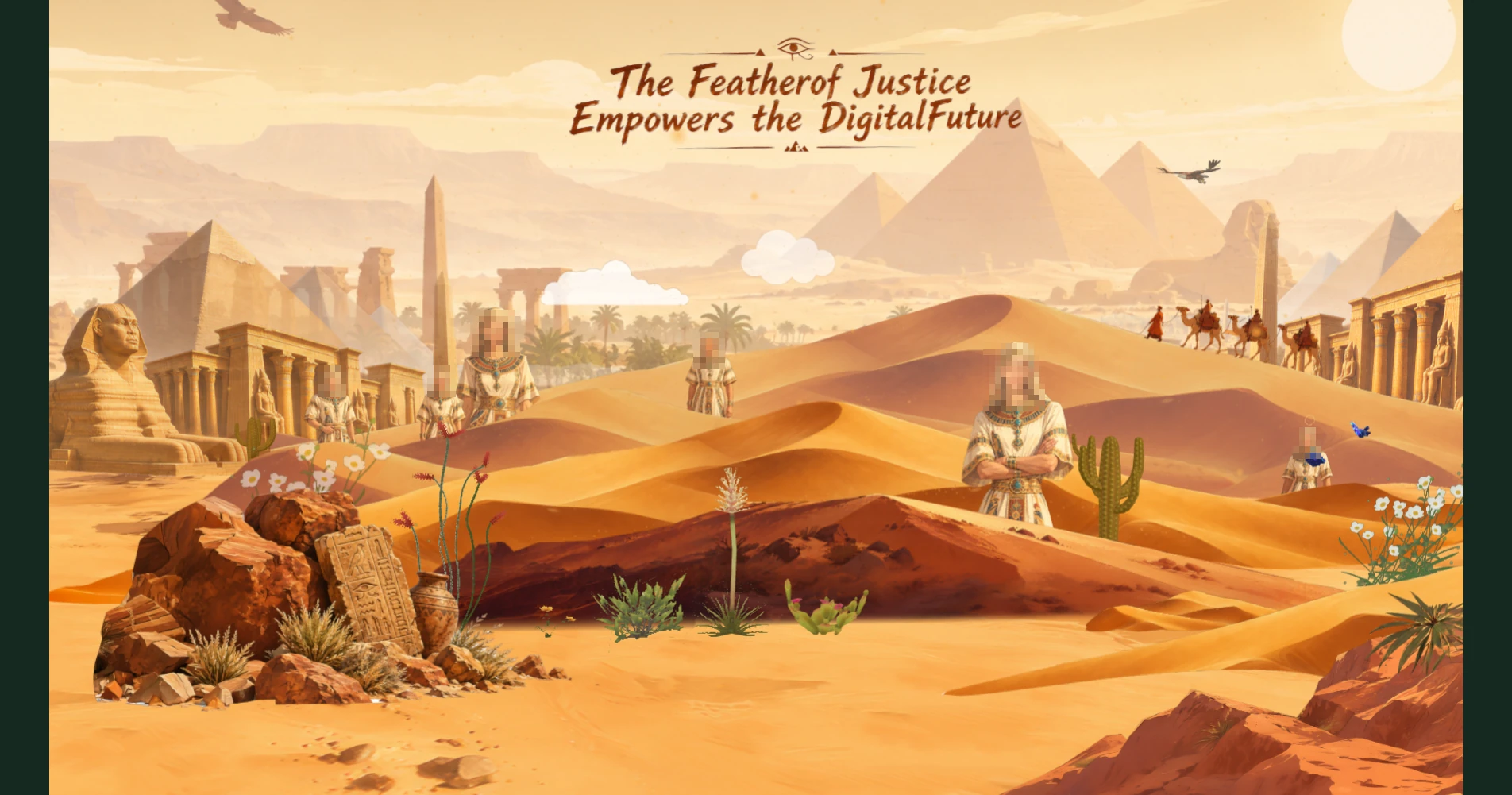
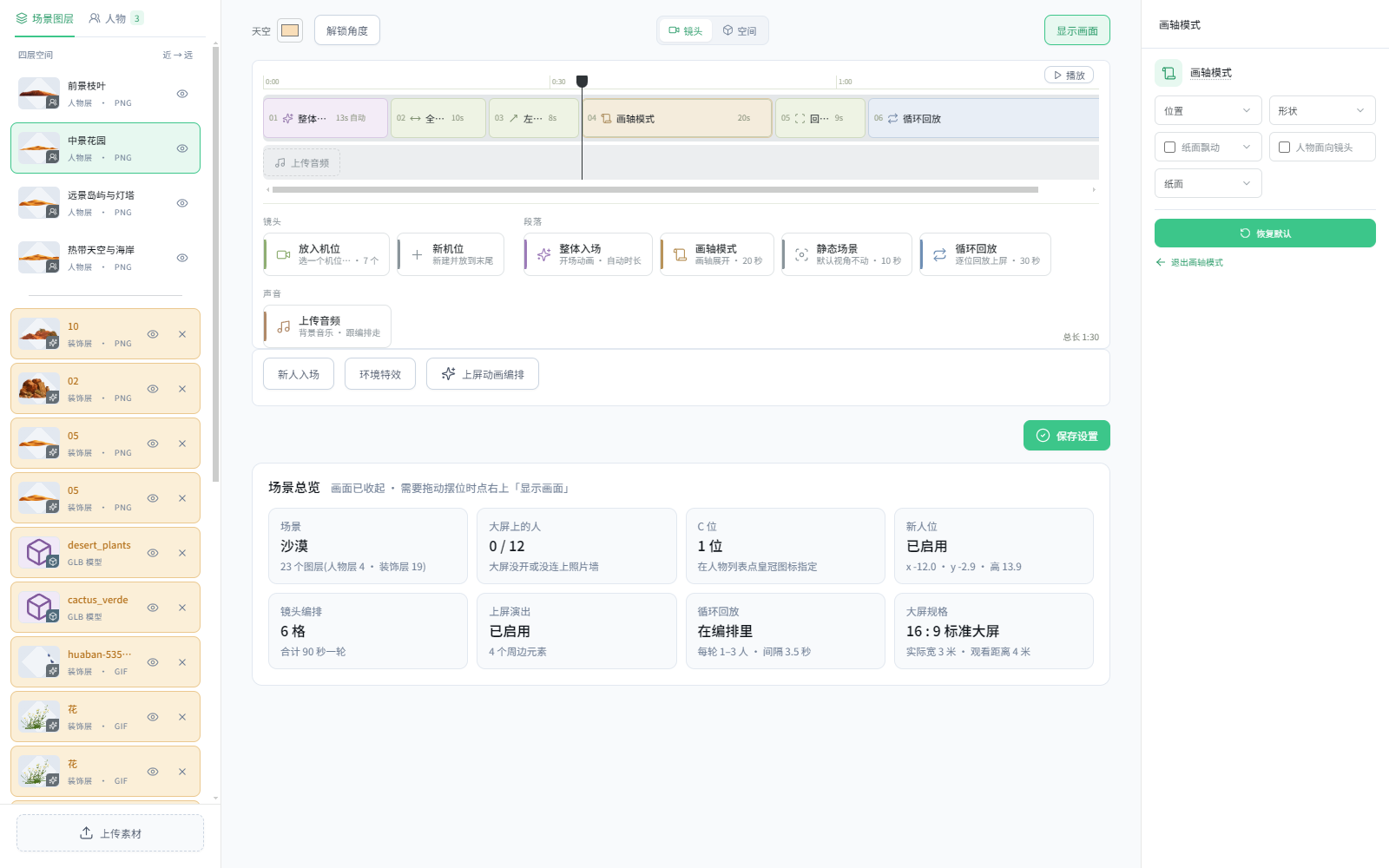
大屏另有「入画大屏 3D 场景」播放形式:人像站进三维场景里,只接收抠好背景的透明 PNG 照片。The big screen also has a 3D stage mode: cut-out portraits step into a 3D scene (transparent PNG photos only). 看教程 ↗See the guide ↗
照片从哪来,自己接Bring photos in your way
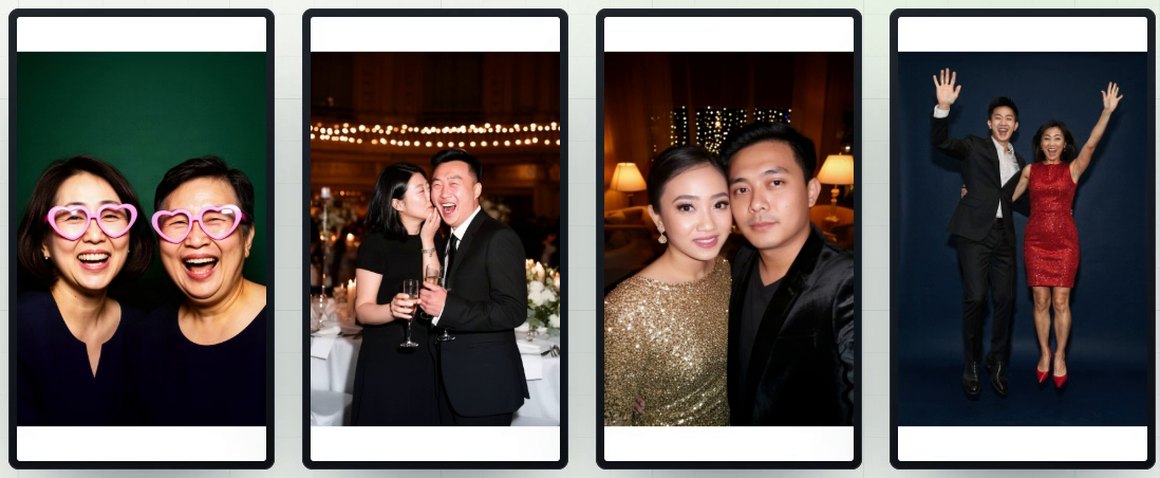
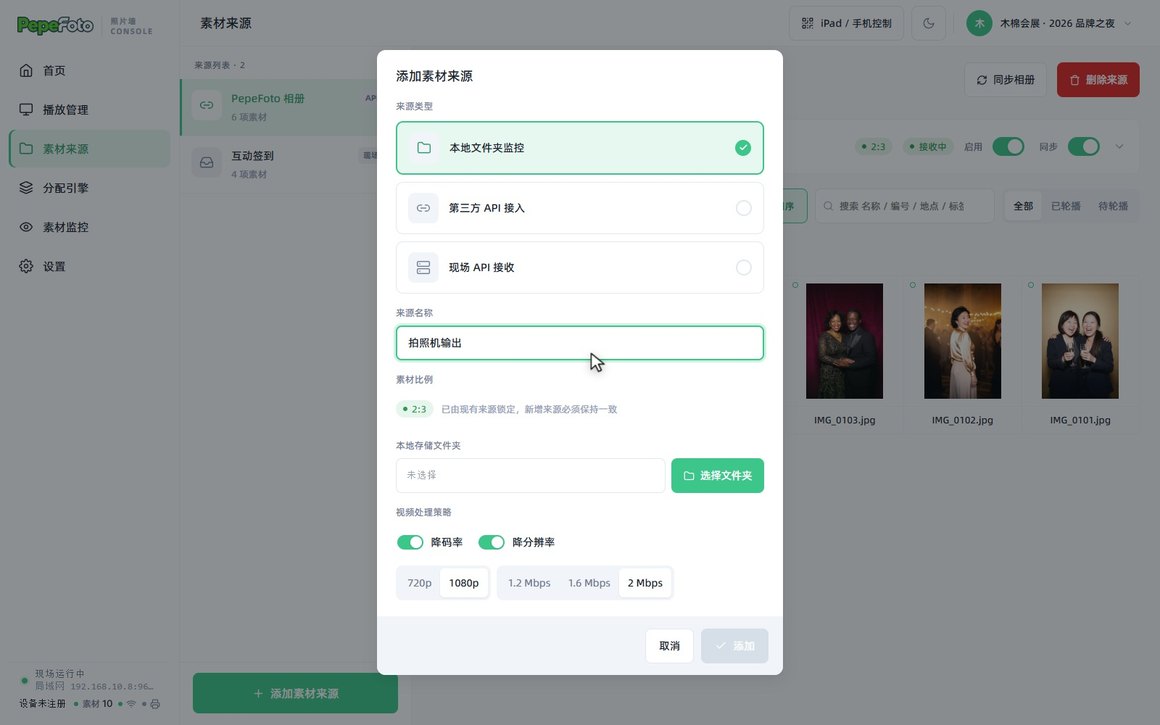
来源随手加,所有来源统一一个画面比例,进池前自动校正方向、裁好比例。Add sources as you go. Every source shares one aspect ratio, and photos are rotated and cropped before they join the pool.
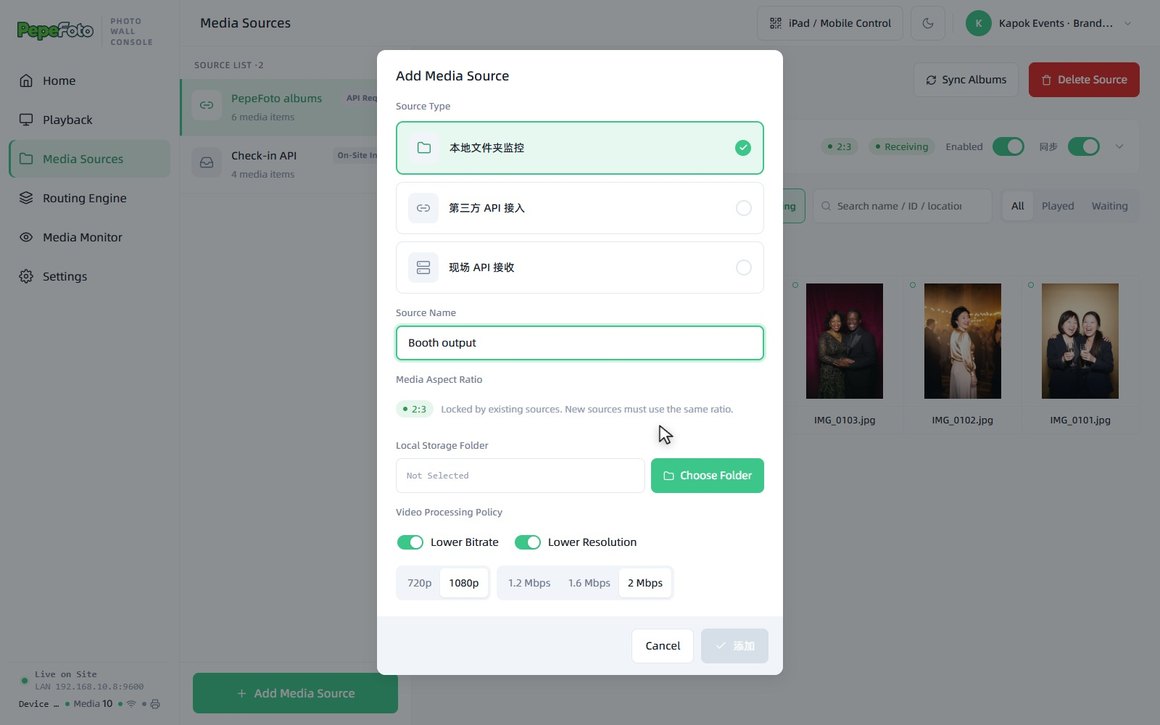
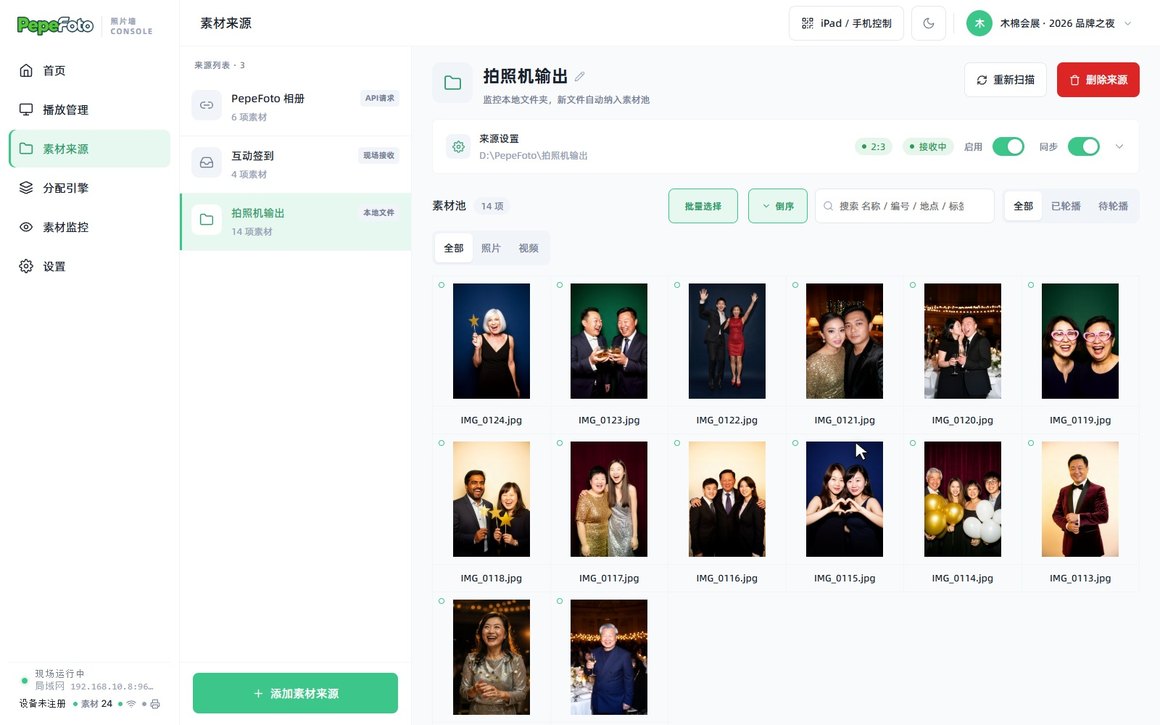
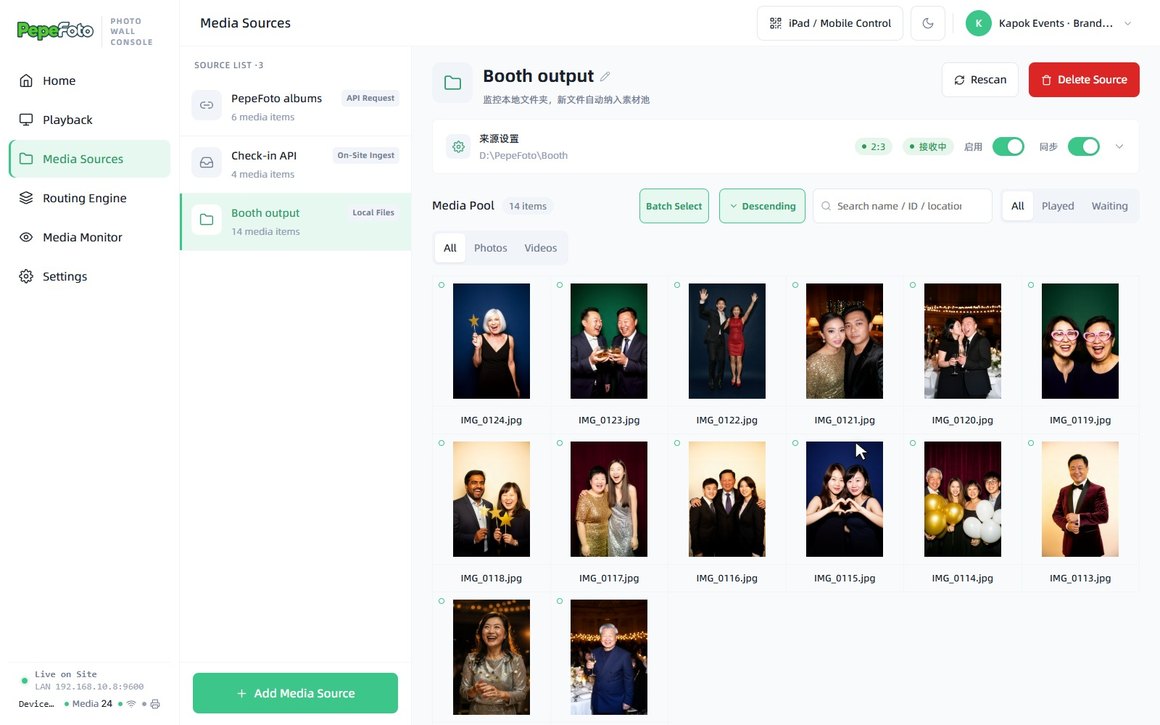
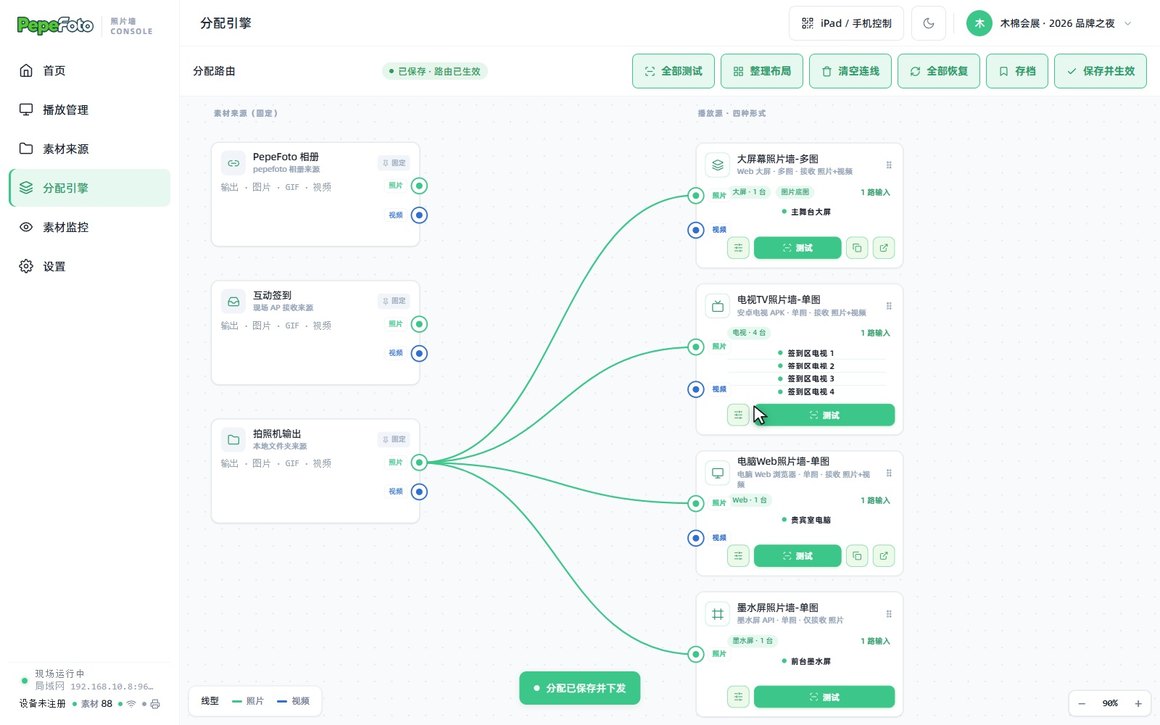
分配引擎:拖一根线,分给一种屏Routing engine: drag a line, fill a screen
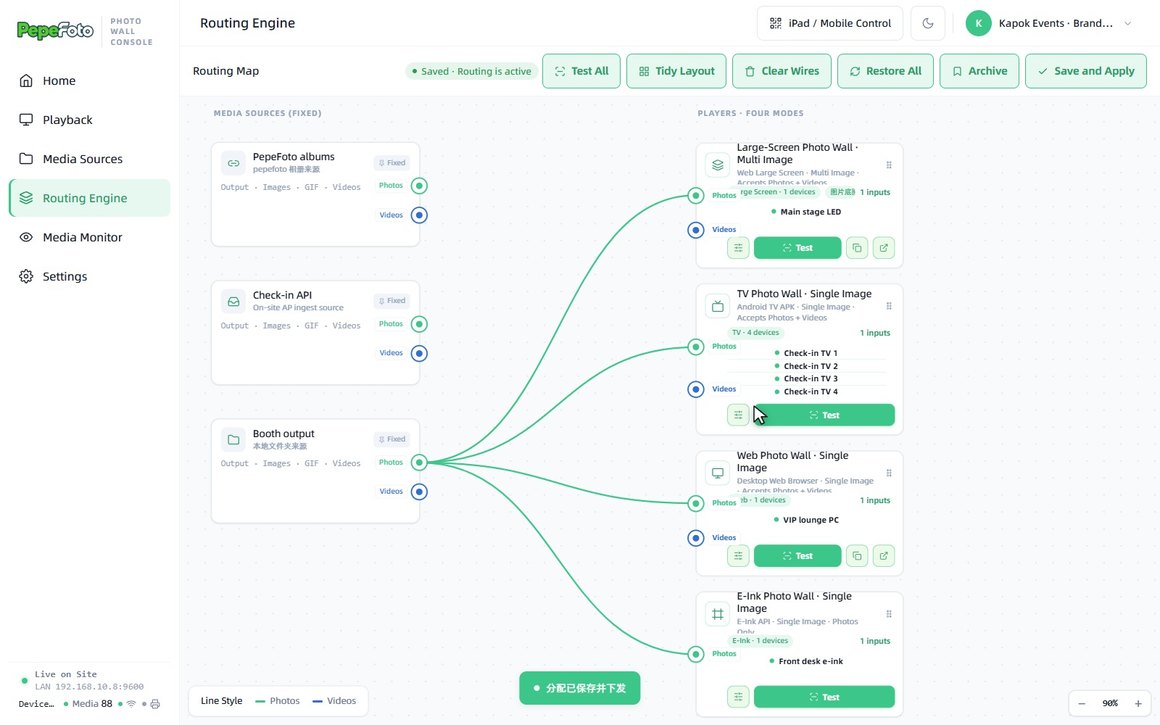
左边是来源,右边是四种播放源。来源连到哪种屏,那种屏就放它;照片、视频分开连,点「保存并生效」马上下发。Sources on the left, the four screen types on the right. Wire a source to a screen type and it plays there; photos and videos wire separately, and Save and Apply sends it live.
动画设计台:九种动画,时间轴自己排Animation designer: nine animations on your timeline
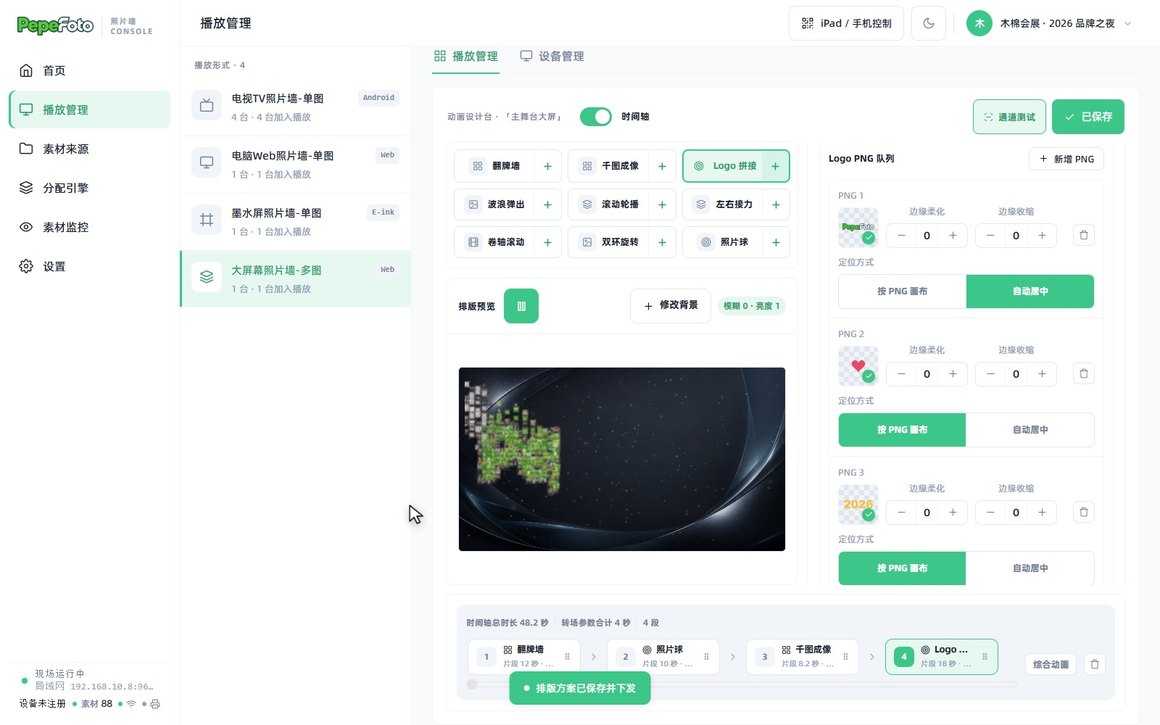
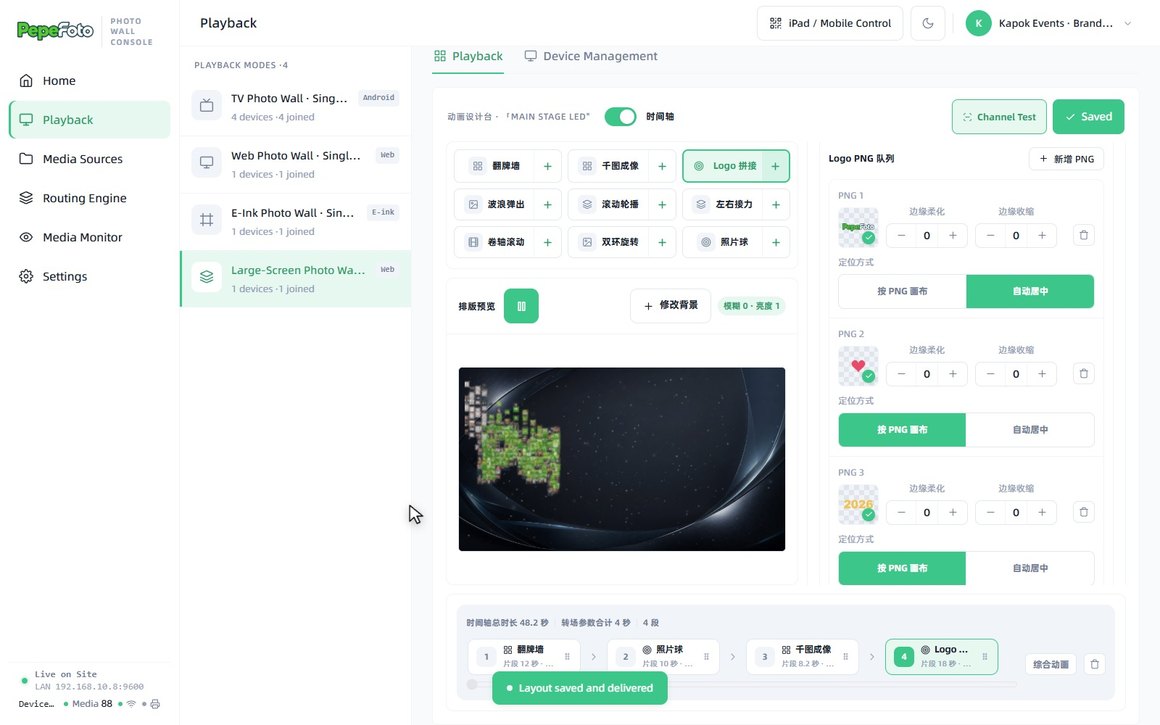
点「+」加段、拖动换顺序,每段调时长和样式(3D 卡片或平面、厚边材质、清晰度);排版预览用真实照片,保存方案就下发到大屏。Tap + to add a segment and drag to reorder; set the length and style of each (3D cards or flat, edge material, sharpness). The preview uses real photos, and saving sends the plan to the big screen.
- 翻牌墙Flip wall
- 千图成像Photo mosaic
- Logo 拼接Logo mosaic
- 波浪弹出Wave pop
- 滚动轮播Carousel
- 左右接力Relay
- 卷轴滚动Scroll
- 双环旋转Twin rings
- 照片球Photo sphere
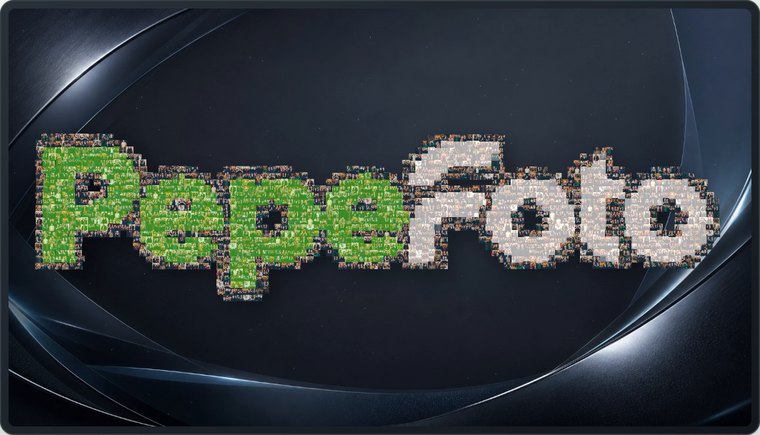
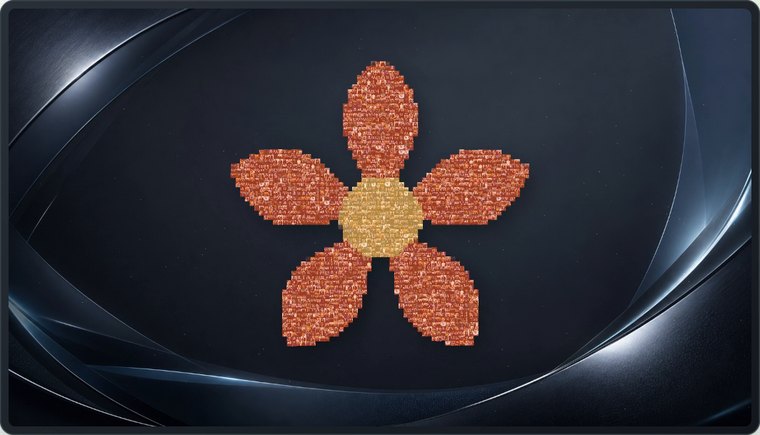
千图成像与 Logo 拼接:照片拼出任意形状Photo mosaic and logo mosaic: guests form any shape
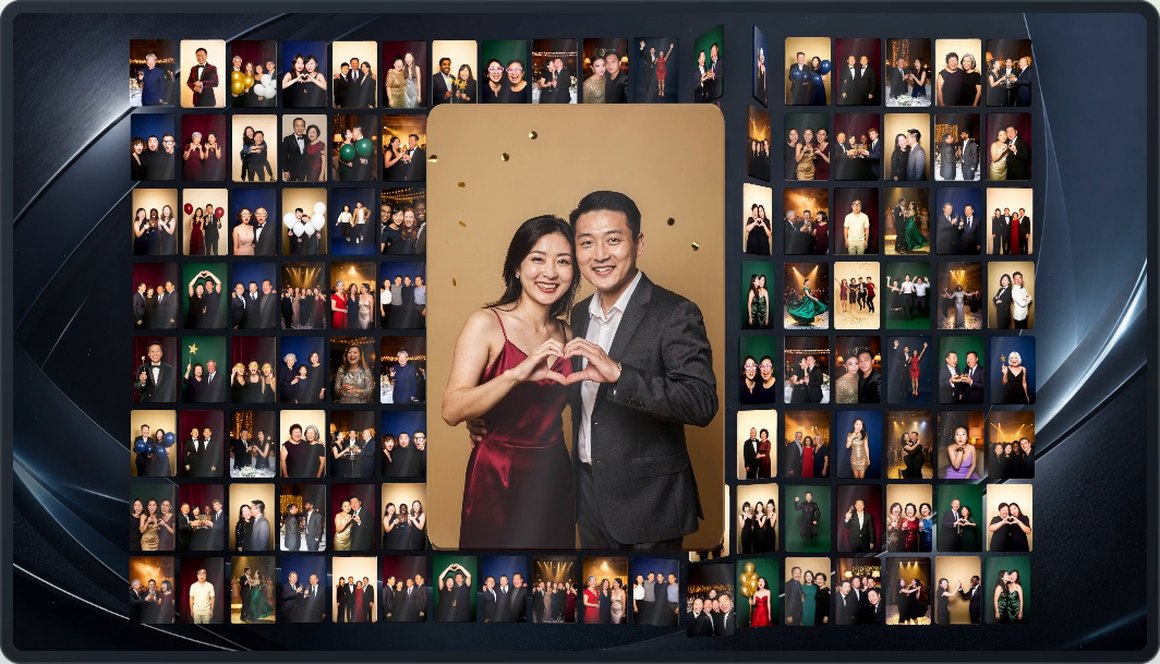
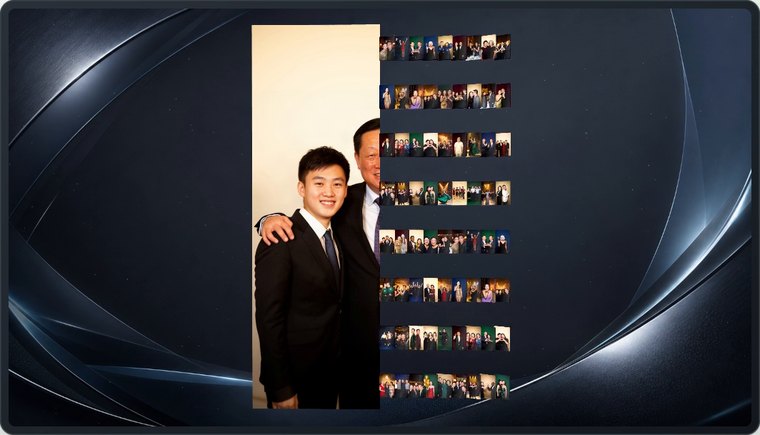
整面墙拼成一张大照片;上传透明底 PNG,一段里传几张,就轮流拼几张。下面的字标、爱心、2026 和木棉花都是现场照片拼的。The whole wall becomes one big photo. Upload transparent PNGs and the wall spells each one out in turn — the wordmark, heart, 2026 and flower below are all made of guest photos.


自定义设置演示Customisation demo
新建现场 API 来源(自带推图地址和 Key)、分配引擎拖线、时间轴加动画并排序、换上活动 Logo,点保存大屏马上换(56 秒,中英双语字幕,界面数据为演示)Add an on-site API source with its own push address and key, wire sources to screens, reorder the animation timeline, swap in your event logo, and the wall updates on save (56 s, bilingual subtitles, demo data)
安卓电视:几台一排,就是照片墙Android TVs: line them up, get a photo wall
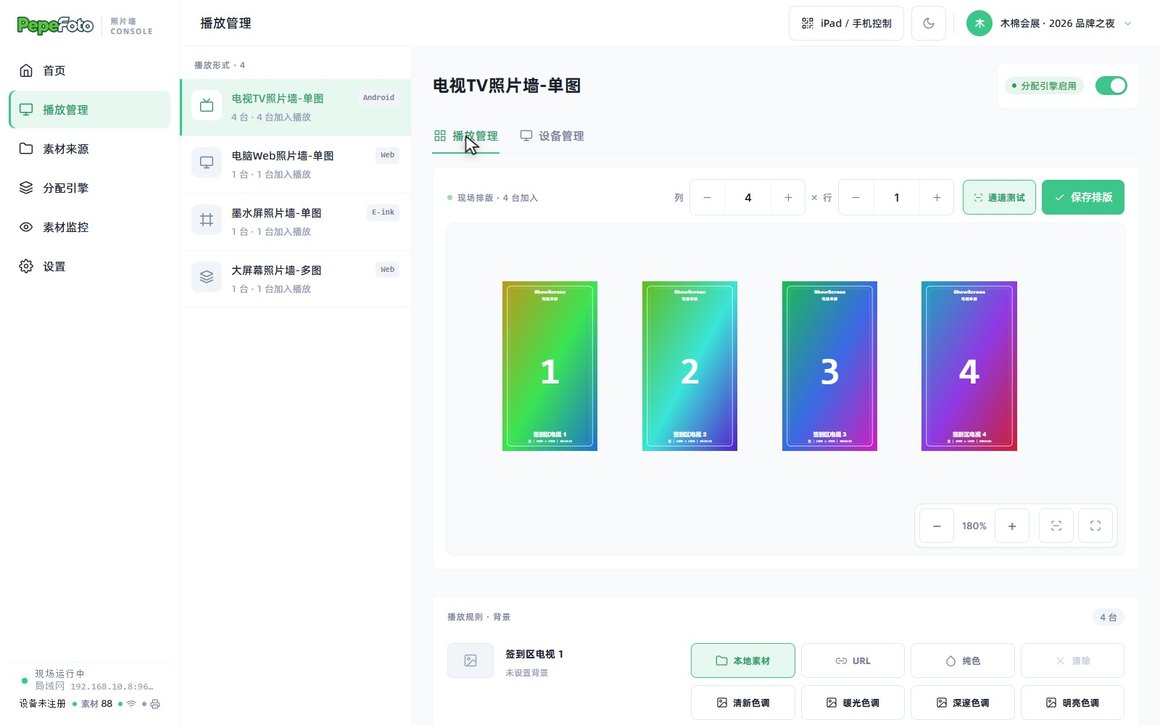
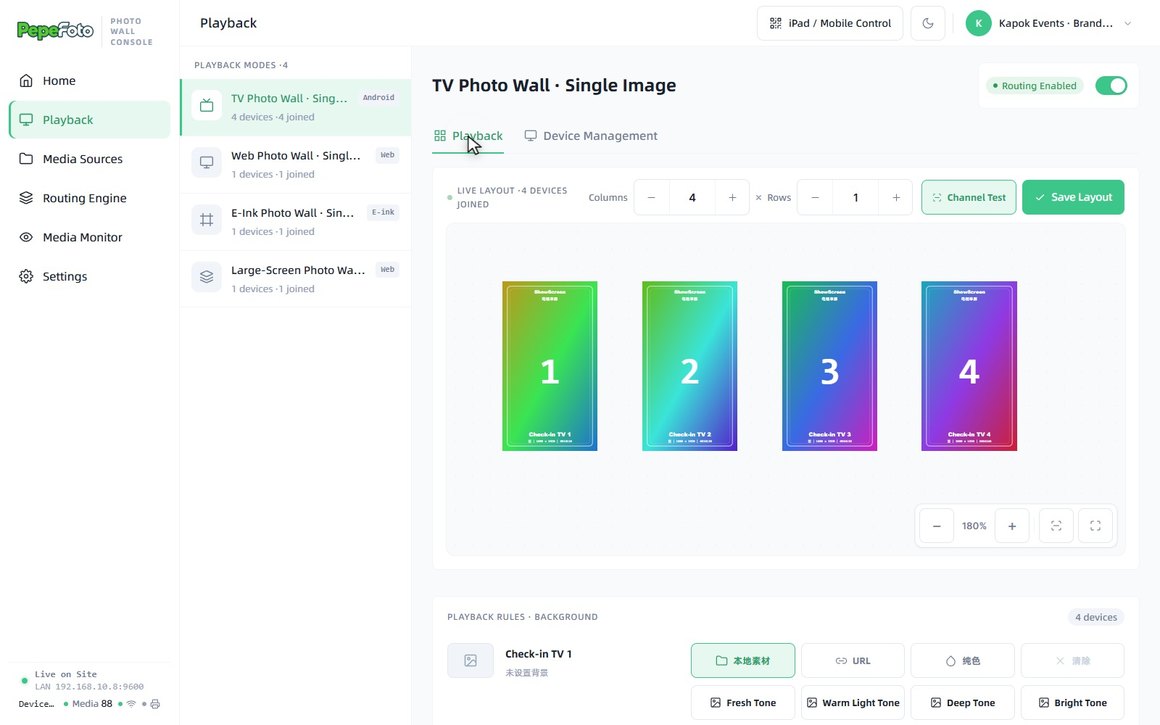
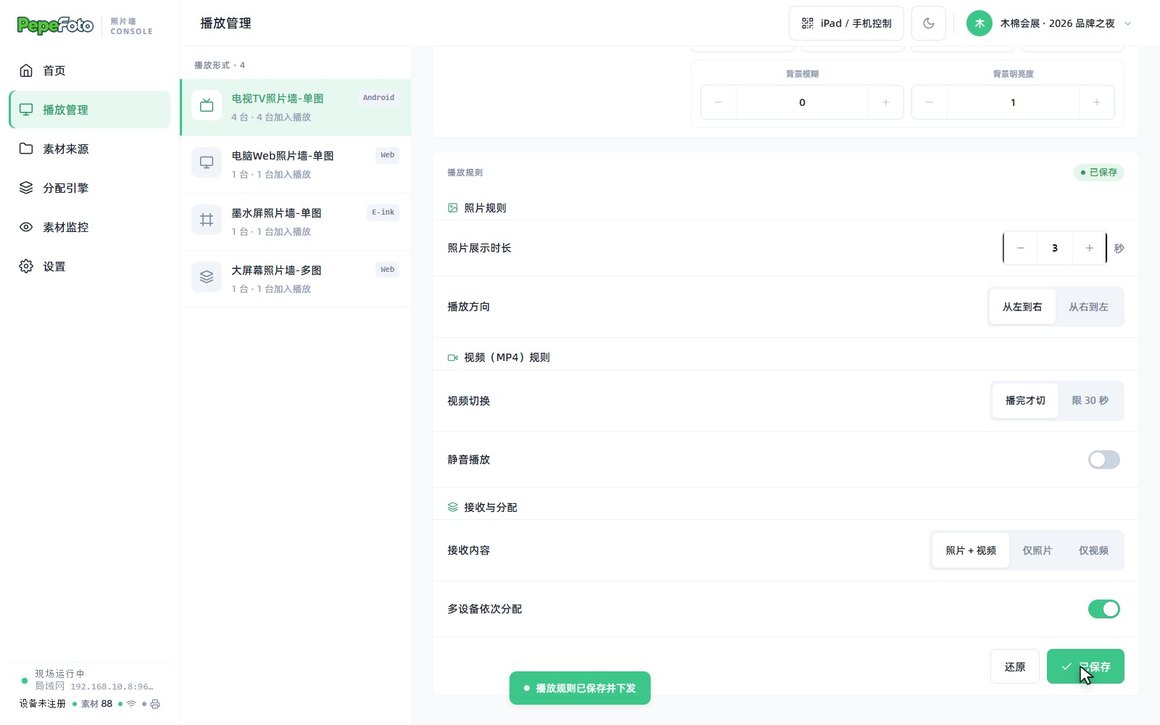
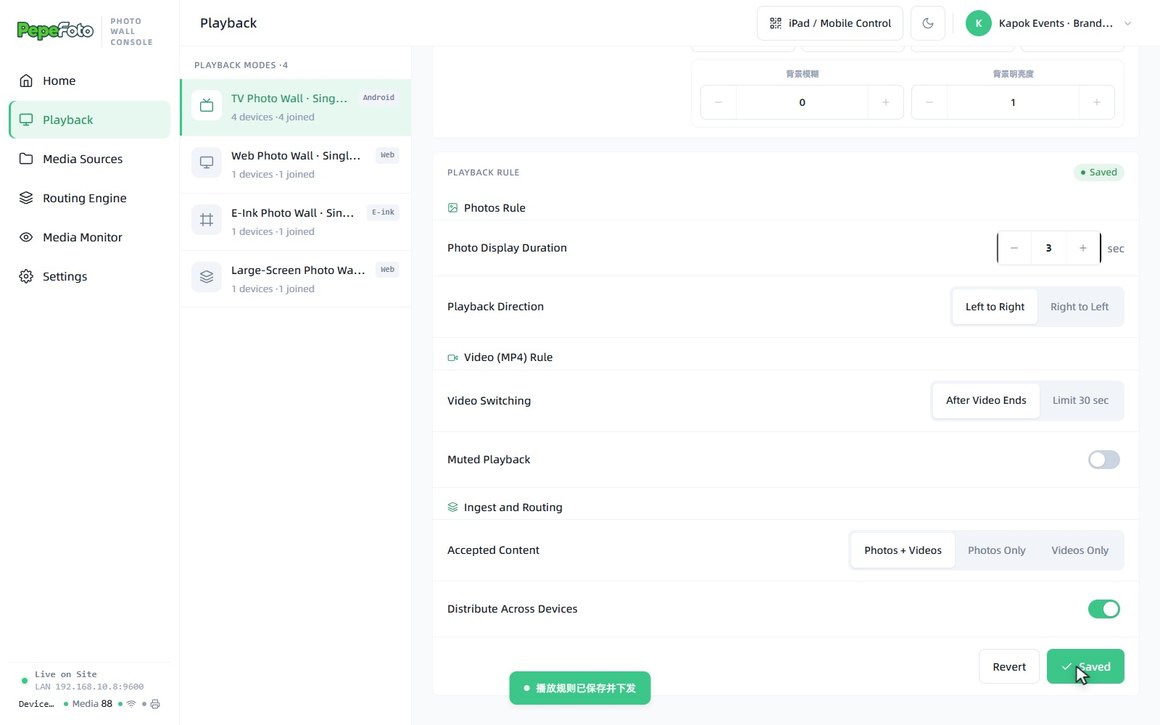
电视装上 APK(安装包里自带),扫描或输验证码配对;按现场摆放排好列和行,竖装也行;设好照片展示时长和播放方向,每台放不同照片、到点整排一起换。断网时电视按最后一次的规则接着放。Install the APK (bundled with the software) and pair each TV by scan or code. Arrange them by column and row as they stand, even in portrait; set how long each photo stays and which way the row moves. Every TV shows a different photo and the row changes together. If the network drops, TVs keep playing by the last rules.
iPad 扫码,现场随手控Run the room from an iPad
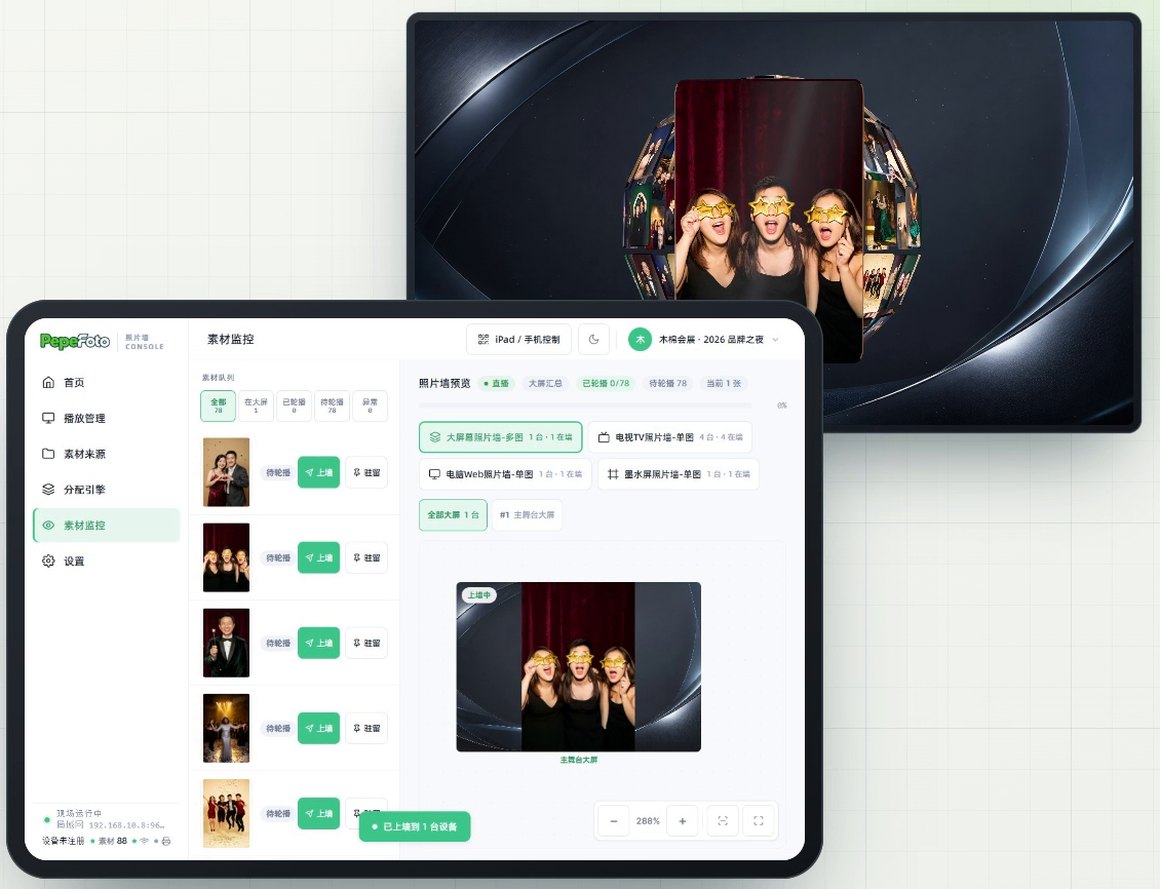
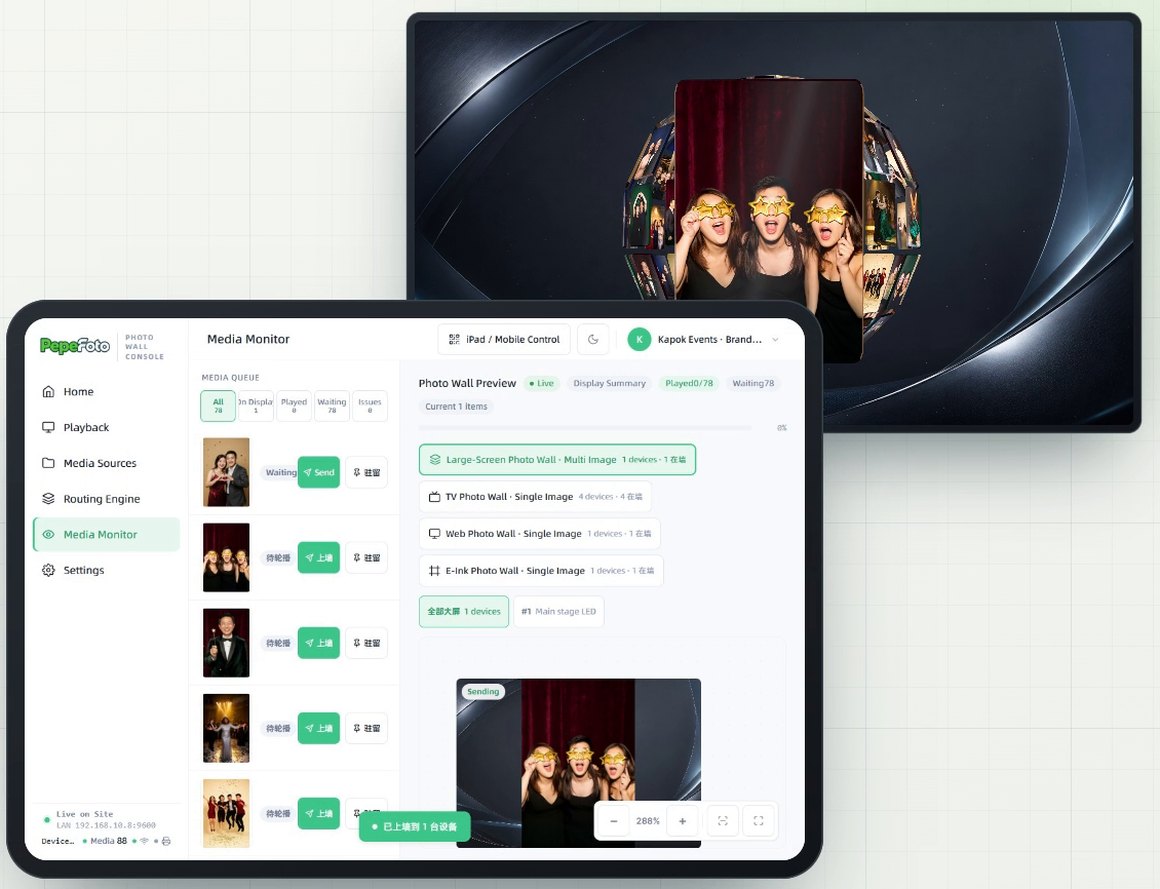
顶栏「iPad / 手机控制」出二维码,iPad 扫码打开同一个主控台(首次接入要在主机上允许)。素材监控里看各台设备的预览(不是实时大屏画面,以现场屏幕为准),一点就上墙、驻留,首页还能全部暂停。The iPad / Mobile Control button shows a QR code; scan it to open the same console on an iPad (allow it once on the host). The media monitor shows a preview for each device (not a live feed of the screens; what is on site is what counts), and one tap sends or pins a photo; the home page can pause everything.
软件授权Software licence
大屏幕照片墙按软件授权销售,一次买断、不收年费,不含大屏、电视、墨水屏等硬件;适用设备数量及配套服务以报价约定为准。PepeFoto Wall is sold as a perpetual software licence with no annual fee; screens, TVs, e-ink frames and other hardware are not included. The device allowance and accompanying services are specified in the quote.
和谁不一样How it differs
选它的理由Why pick it
- 一台主机管四种屏:大屏放多图动画,电视、网页、墨水屏各放单张,规则分开设。One PC runs four kinds of screen: animated multi-photo walls on big screens, single photos on TVs, browsers and e-ink frames, each with its own rules.
- 照片自动进来:接拍照机的输出文件夹、PepeFoto 相册或现场 API,嘉宾也能扫码传图。Photos arrive on their own: from a booth's output folder, PepeFoto albums or the on-site API, and guests can upload by QR code too.
- 大屏有看点:九种动画排进时间轴,千图成像和 Logo 拼接用现场照片拼出大图或活动 Logo。Big screens worth watching: nine animations on a timeline, with photo and logo mosaics that build a large picture or your event logo from guest photos.
- 入画大屏:来宾人像站进品牌三维场景,新人上屏可以有镜头推近和姓名牌。3D stage: guest portraits stand inside a branded 3D scene, and new arrivals can get a camera push-in and a name plate.
和相近软件比Compared with
- 对比vs标准版Standard
标准版自带「电子大屏墙展示」,专业版也有。照片墙是另一套软件,多出它们清单里没有的:多来源接图、四种屏各设规则、时间轴动画和入画大屏;拍照、打印和扫码取图在拍照软件里。Standard, and so Pro, has a built-in live photo wall display. The Photo wall is separate software and adds what their lists do not: several photo sources, four kinds of screen with their own rules, timeline animations and the 3D stage. Capture, printing and QR delivery stay in the photo software.
- 对比vs360 一体机软件360 video software
360 一体机软件的大屏放 360 视频和 AI 视频,每条配自己的领取二维码,按分发模板排版。照片墙清单里没有调色、审核这类视频加工和领取码,它把多来源的照片和视频分到多块屏轮播、做动画。The 360 software's big screen shows the 360 clips and AI videos, each with its own collection QR code, laid out with a distribution template. The Photo wall's list has no grading or review of clips and no collection codes; it routes photos and videos from many sources to several screens and animates them.
不适合或要注意Not for, or watch out
- 人像没抠背景的照片:入画大屏要透明 PNG,照片墙不抠图,没抠的上屏会带一块底色。Portraits with the background still on: the 3D stage needs transparent PNGs, the Photo wall does not cut them out, and uncut photos show a block of colour.
- 屏幕分散在不同网络:播放端一般要和主控电脑在同一局域网。Screens on separate networks: players usually need to share a local network with the host PC.
- 墨水屏或入画大屏放视频:这两处只收照片,视频不播。Video on e-ink frames or the 3D stage: both take photos only, so videos do not play there.
适合的工作和场合Where it fits
- 主舞台的 LED 大屏、投影或拼接屏,横屏竖屏都能放,现场照片轮播上墙。Main-stage LED walls, projectors or video walls, in landscape or portrait, with event photos rotating on the wall.
- 一个场地多块屏:贵宾室、休息区用网页,签到台放墨水屏,一排电视各放一张。Several screens around one venue: a browser in the VIP room or lounge, e-ink frames at check-in and a row of TVs, one photo each.
- 品牌三维场景里的来宾墙:人像站进场景,录好介绍后在大屏上点人就能看姓名、职位和留言。A guest wall inside a branded 3D scene: portraits stand in the scene, and once their details are entered, a tap shows a person's name, title and message.
- 让嘉宾自己上墙:扫码传图或刷 NFC 卡,照片按设定时长停在指定的屏上。Guests putting themselves on the wall: they upload by QR code or tap an NFC card, and the photo stays on the chosen screens for the time you set.
现场怎么跑How it runs on site
- 接照片来源Add sources
加上拍照机的输出文件夹、PepeFoto 相册或现场 API,新照片自动进素材池。Add a booth's output folder, PepeFoto albums or the on-site API; new photos flow into the pool.
- 配对屏幕Pair the screens
大屏、电视、网页、墨水屏扫码或输验证码配对,打开播放。Pair each big screen, TV, browser or e-ink frame by scan or code, and switch playback on.
- 定规则和动画Rules and animations
每种屏定好照片停几秒、放照片还是视频;大屏把动画排进时间轴。Set how long photos stay and whether each screen type takes photos, videos or both; line up the big-screen animations on a timeline.
- 分配上屏Route and go live
把来源分给要放它的屏,保存生效后才会上屏。Route each source to the screens that should show it; nothing goes up until you save and apply.
- 开入画大屏Set up the 3D stage
装入场景运行包,大屏电脑用浏览器全屏打开播放地址,再调场景和镜头。Load the scene package, open the player address full screen in a browser on the big-screen PC, then adjust the scene and camera.
- 开放嘉宾传图Open guest uploads
打开扫码传图或 NFC 刷卡,选好停留时长和目标屏,把二维码摆到现场,散场再关掉。Turn on QR uploads or NFC taps, choose how long they stay and on which screens, put the QR code out, and switch it off afterwards.
- 现场控场Run the room
需要时临时插播或固定显示某张照片,电脑和 iPad 都能操作。Send up or pin a photo when needed, from the PC or an iPad.
要准备什么What you need
| 软件Software | 照片墙主控台;安卓电视用的播放端 APK 在安装包里。The Photo wall console, with the Android TV player app in the installer. | 含在授权里Included |
|---|---|---|
| 主控电脑Host PC | 运行照片墙的电脑,配置要求下单前和我们确认。The PC that runs the Photo wall; confirm the spec with us before ordering. | 不含在授权里Not included |
| 屏幕Screens | 多图用 LED 大屏、投影或拼接屏;单图用安卓电视、电脑浏览器或 KoKonna 墨水屏。LED walls, projectors or video walls for multi-photo display; Android TVs, any computer browser or KoKonna e-ink frames for single photos. | 不含在授权里Not included |
| 局域网Local network | 主控电脑和各块屏在同一局域网;用现场 API 推图时,对接方要能连到主控电脑。The host PC and screens share a local network; for on-site API pushes, the sender must be able to reach the host PC. | 不含在授权里Not included |
| 照片来源Photo source | 拍照机的输出文件夹、PepeFoto 相册,或其他系统经现场 API 推图。A booth's output folder, PepeFoto albums, or another system pushing photos through the on-site API. | 不含在授权里Not included |
| 抠好的人像(入画大屏)Cut-out portraits (3D stage) | 只收抠好背景的透明 PNG,单张 20 MB 以内,要在发图端抠好。Transparent PNGs only, up to 20 MB each, cut out before they are sent. | 不含在授权里Not included |
| 场景运行包(入画大屏)Scene package (3D stage) | 新装的软件要先装入场景运行包才有场景;运行包由我们制作后发给你,自己做场景按素材设计说明出图。A fresh install needs a scene package before any scene appears; we prepare it and send it to you. For your own scene, follow the artwork guide. | 不含在授权里Not included |
| 大屏电脑(入画大屏)Big-screen PC (3D stage) | 入画大屏在一台电脑的浏览器里全屏播放,这台电脑要和主控在同一局域网。The 3D stage plays full screen in a browser on a PC that shares the host's local network. | 不含在授权里Not included |
嘉宾拿到什么What guests get
大屏上亮相A moment on the big screen
新照片先在中央放大亮相;排了千图成像或 Logo 拼接时,还会和大家的照片拼成大图或 Logo。Each new photo gets a close-up in the centre; when a photo or logo mosaic is on the timeline, it joins everyone else's to form the big picture or logo.
单张展示One photo per screen
电视、网页、墨水屏一次放一张,墨水屏只放照片。TVs, browsers and e-ink frames show one photo at a time; e-ink shows photos only.
站进三维场景A place in the 3D scene
新人上屏可以有镜头推近、周边元素滑入和姓名牌;录好介绍的人,点开能看姓名、职位和留言。New arrivals can get a camera push-in, sliding decorations and a name plate; once someone's details are entered, a tap shows their name, title and message.
自己传的照片上墙Their own upload on the wall
扫码传上来的照片,按设定时长停在指定的屏上。Photos uploaded by QR code stay on the chosen screens for the time you set.
费用Costs
- 照片来自 PepeFoto 拍照软件时,拍照软件另行授权,照片墙授权不含它。Photos from PepeFoto photo software need that software's own licence; the Photo wall licence does not include it.
- 入画大屏的透明 PNG 在发图端抠好;在拍照软件里抠像的,按积分表「抠像 AI」在那边扣分,以积分说明为准。Transparent PNGs for the 3D stage are cut out at the sending end; cutouts made in the photo software are charged there as AI cutout, as set out on the credits page.
- 要定制入画大屏场景,内容和费用下单前和我们确认。For a custom 3D stage scene, confirm the content and cost with us before ordering.
积分表里没有这款的扣费项。No item in the credits table applies to this product.
完整功能Every feature
- 本地文件夹、PepeFoto 相册与现场 API 素材接入Import media from local folders, PepeFoto albums or an on-site API
- 多屏素材分配与播放管理Route media and manage playback across screens
- 大屏动画编排与素材监控Compose display animations and monitor media
- 入画大屏使用透明 PNG 人像,支持场景与镜头设置Use transparent PNG portraits in 3D scenes with scene and camera settings
- 安卓电视、电脑网页、墨水屏单图播放Single-photo playback on Android TVs, browsers and e-ink frames
- 扫码传图与 NFC 刷卡等外部输入External input by QR upload or NFC tap
- iPad 或手机扫码控制主控台Control the console from an iPad or phone
教程与常见问题Guides and questions
帮助站教程Help-centre guides
常见问题Common questions
想在活动现场上一面照片墙?Want a live photo wall at your event?
告诉我们活动时间、有几块屏、照片从哪来,我们给一版方案和报价。广州展厅可预约到场体验。Tell us the date, how many screens you have and where the photos come from, and we will come back with a plan and a quote. Our Guangzhou showroom is open for visits.