

全息舱 · 全息合影Holographic Booth
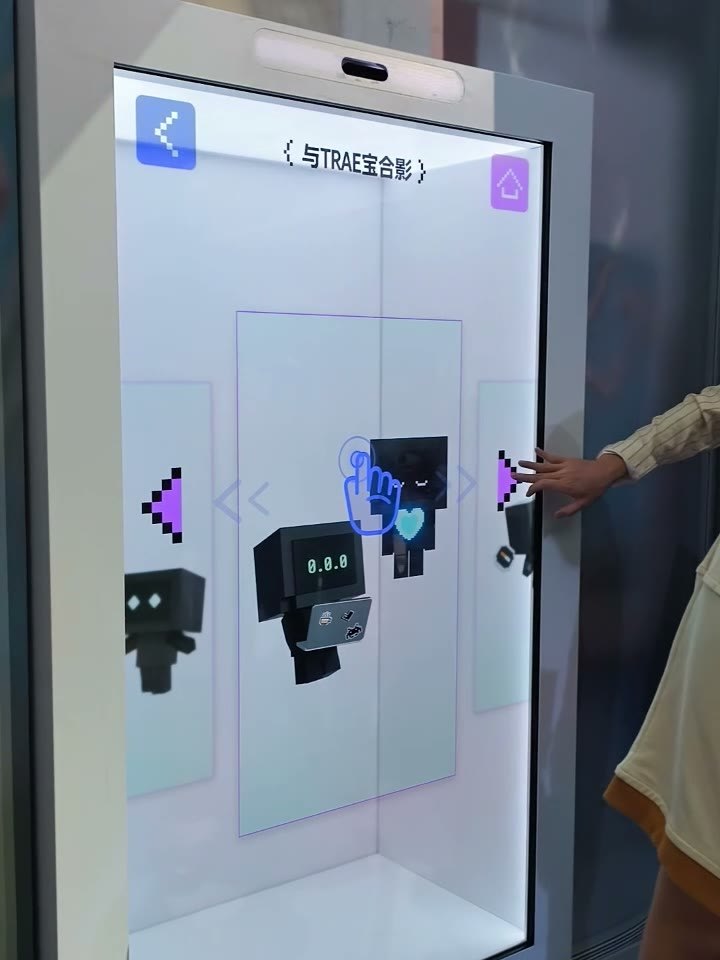
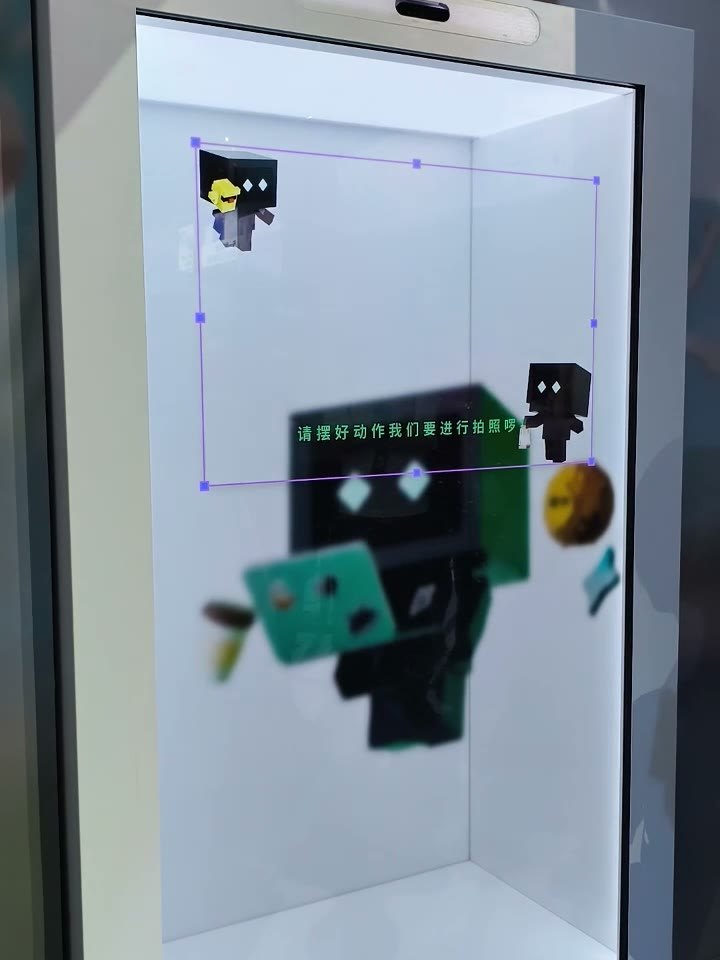
嘉宾站到舱前选一个虚拟角色,角色先出场,倒计时拍下合影,AI 合成成片,扫码带走或当场打印。角色视频、拍摄背景和排版在 PepeFoto 平台里配置,现场设备同步就生效。Guests pick a virtual character, watch it walk on, and a countdown takes the shot. AI builds the group photo to scan or print on the spot. Character clips, backgrounds and layouts are managed in the PepeFoto platform and reach the booth on its next sync.
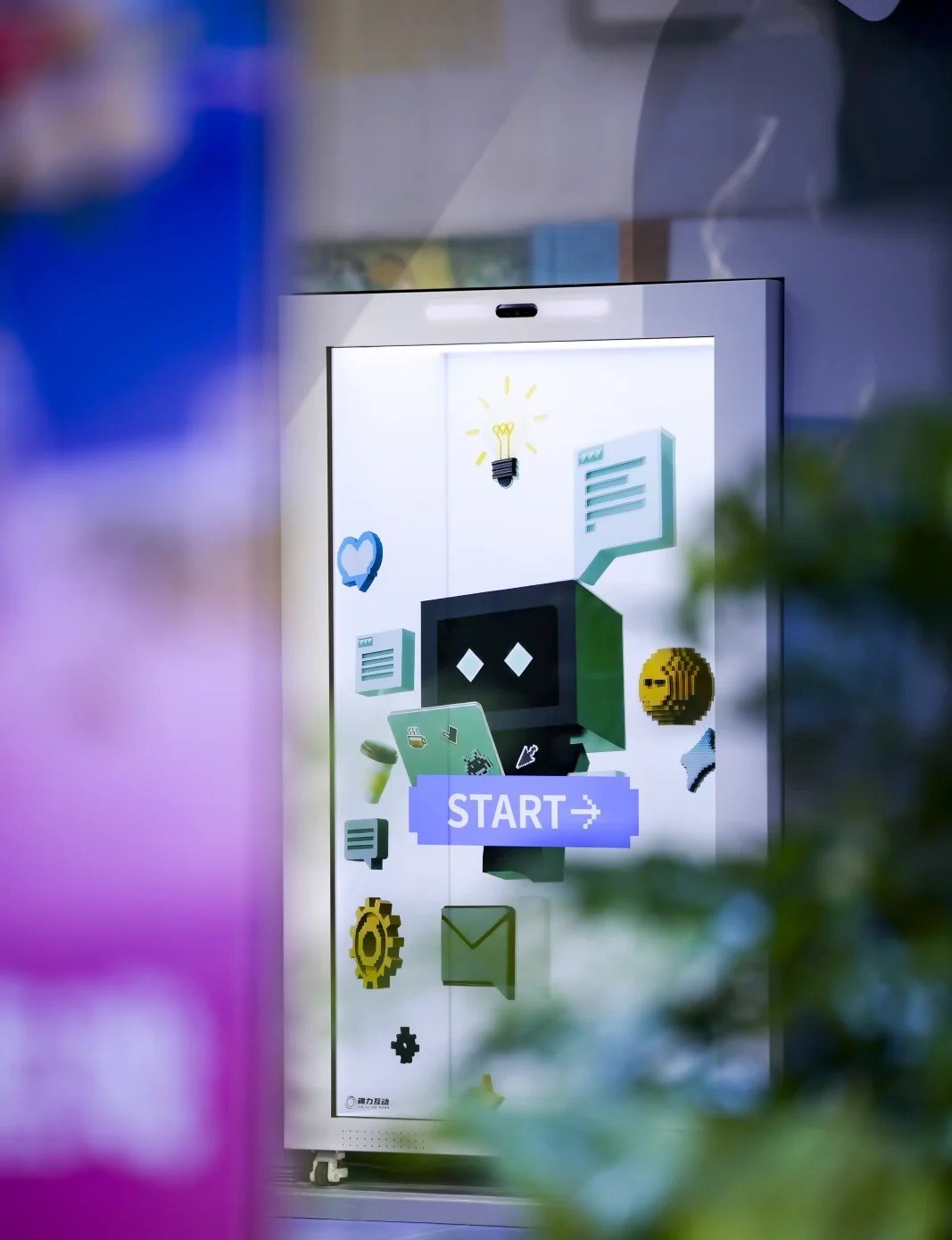
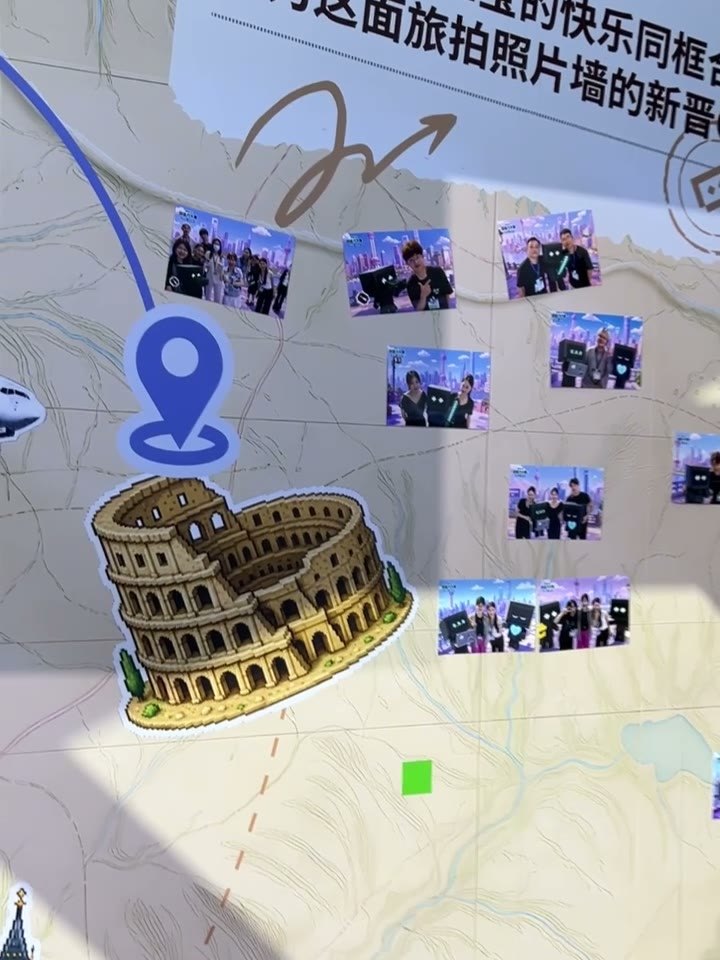
现场实拍 · TRAE AI 创造力大赛(2026 年 8 月,上海)On site · TRAE AI Creativity Contest (Shanghai, August 2026)
74 秒看懂全息舱The booth in 74 seconds
现场、设备端和 PepeFoto 平台连起来走一遍。On site, on the booth and in the PepeFoto platform, in one pass.
现场画面为真实活动实拍;界面数据与 AI 合影为演示素材,角色出场和 AI 等待画面已剪短。Event footage is real. UI data and the AI photo are demo content; the walk-on and AI waiting screens are shortened.
五步拍一张全息合影Five steps to a hologram photo
普通流程五页,嘉宾自己就能走完。Five screens that guests can run on their own.
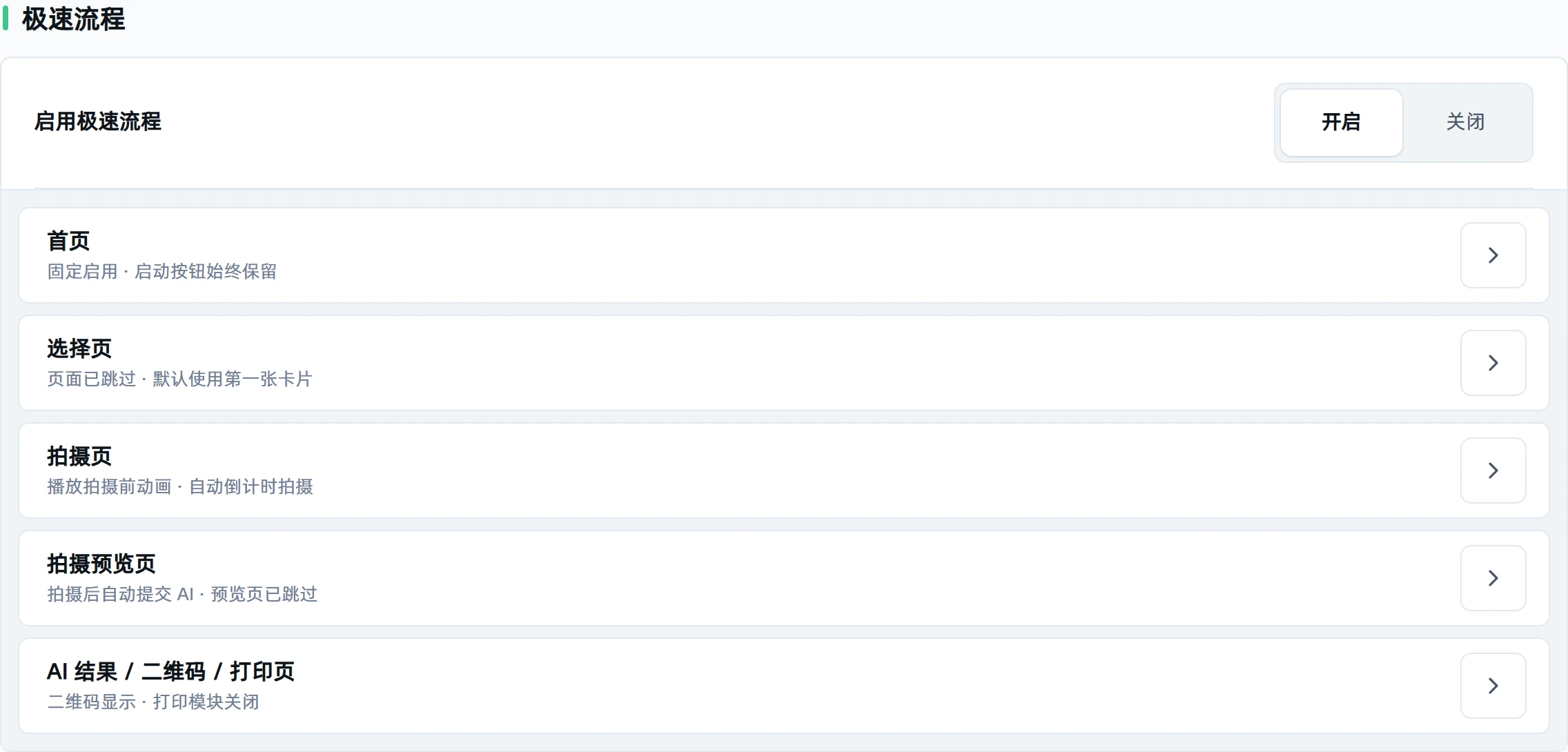
人多时可以开极速流程:跳过选择页、自动倒计时、拍完直接生成,按现场人流搭配。Busy venue? Express flow can skip the selection screen, start the countdown automatically and send each shot straight to AI.
现场是什么样What it looks like on site
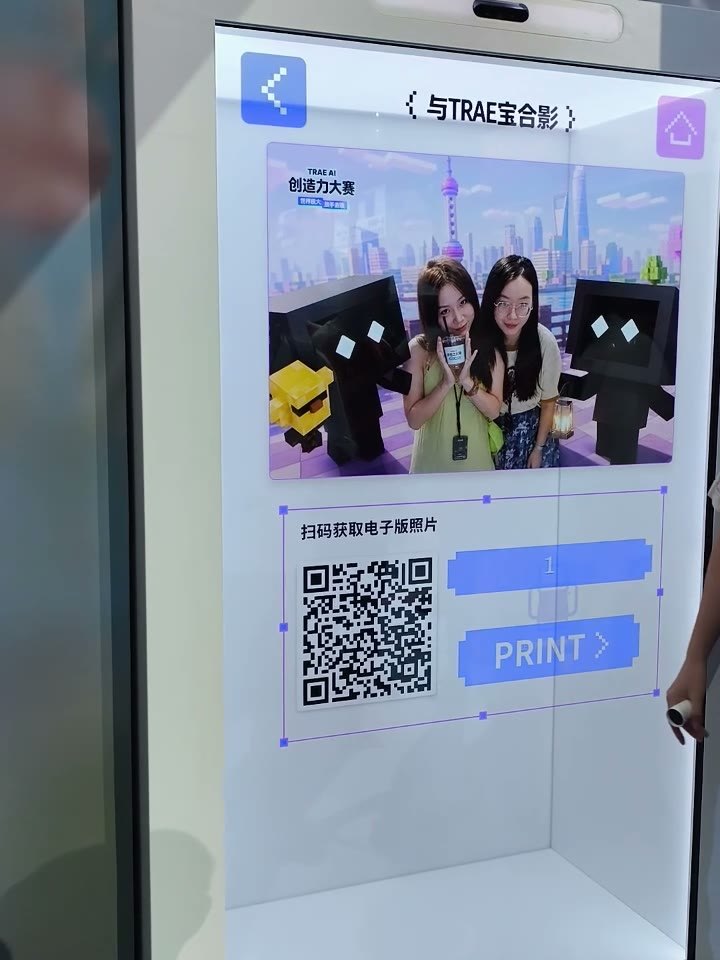
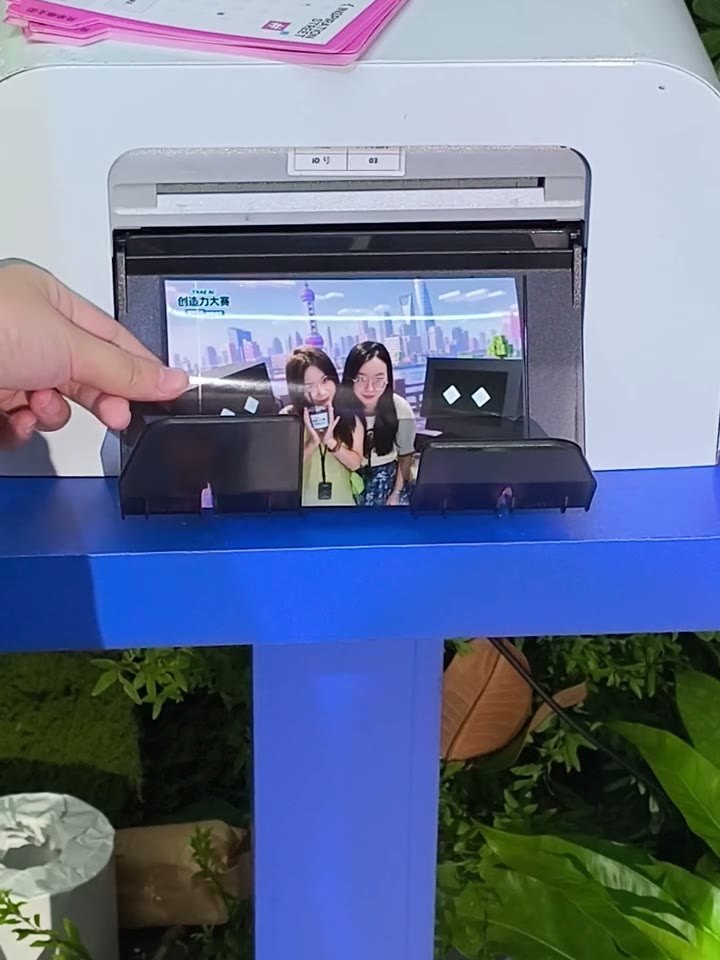
全部来自真实活动现场:TRAE AI 创造力大赛(2026 年 8 月,上海)。屏幕上的 Trae 宝是为这场活动定制的角色。点击放大。All from a real event: the TRAE AI Creativity Contest (Shanghai, August 2026). Trae Bao on screen was made for that event. Click to enlarge.
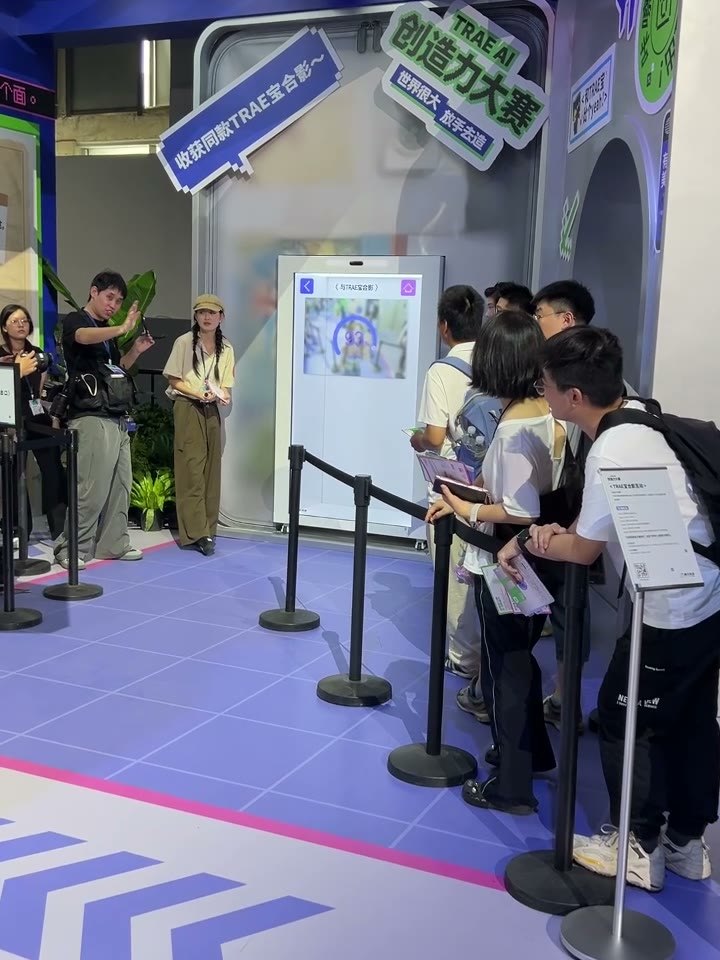
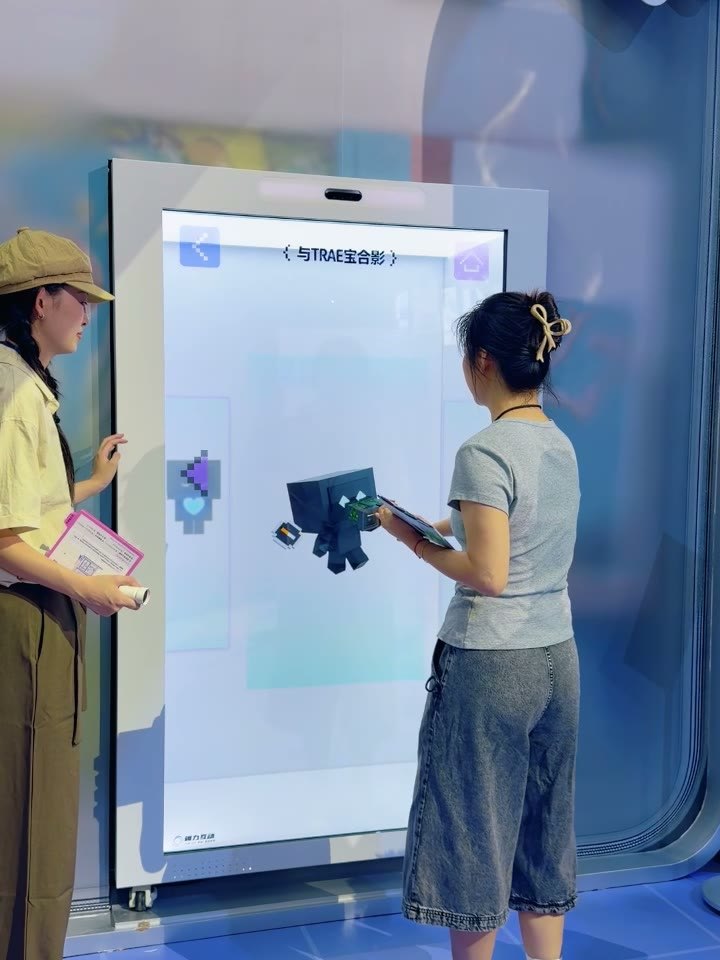
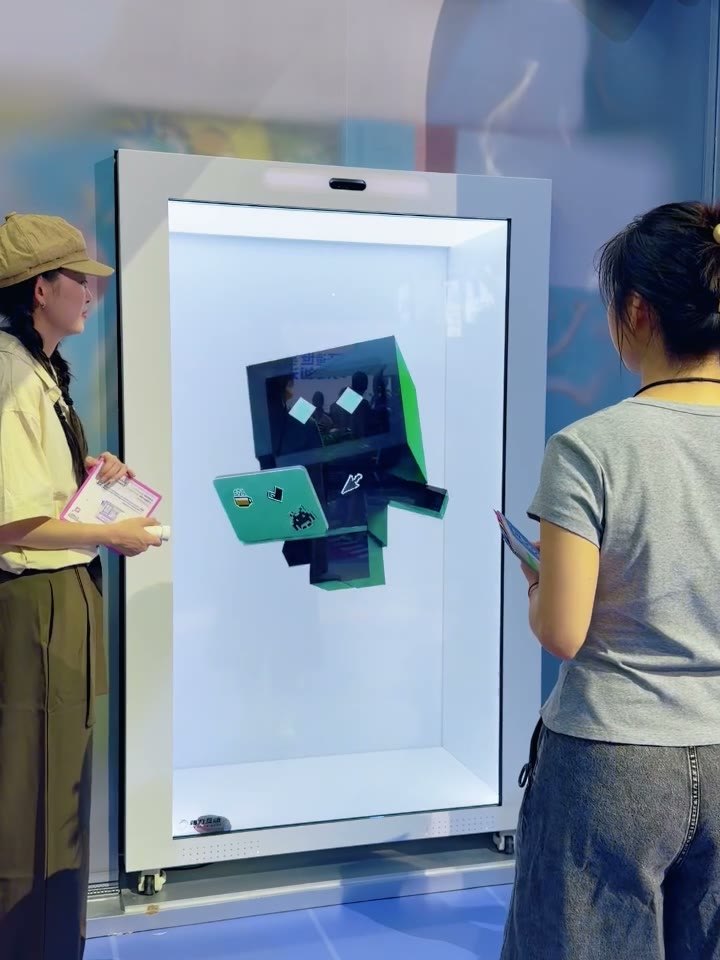
素材在后台换,现场同步生效Change content in the back office
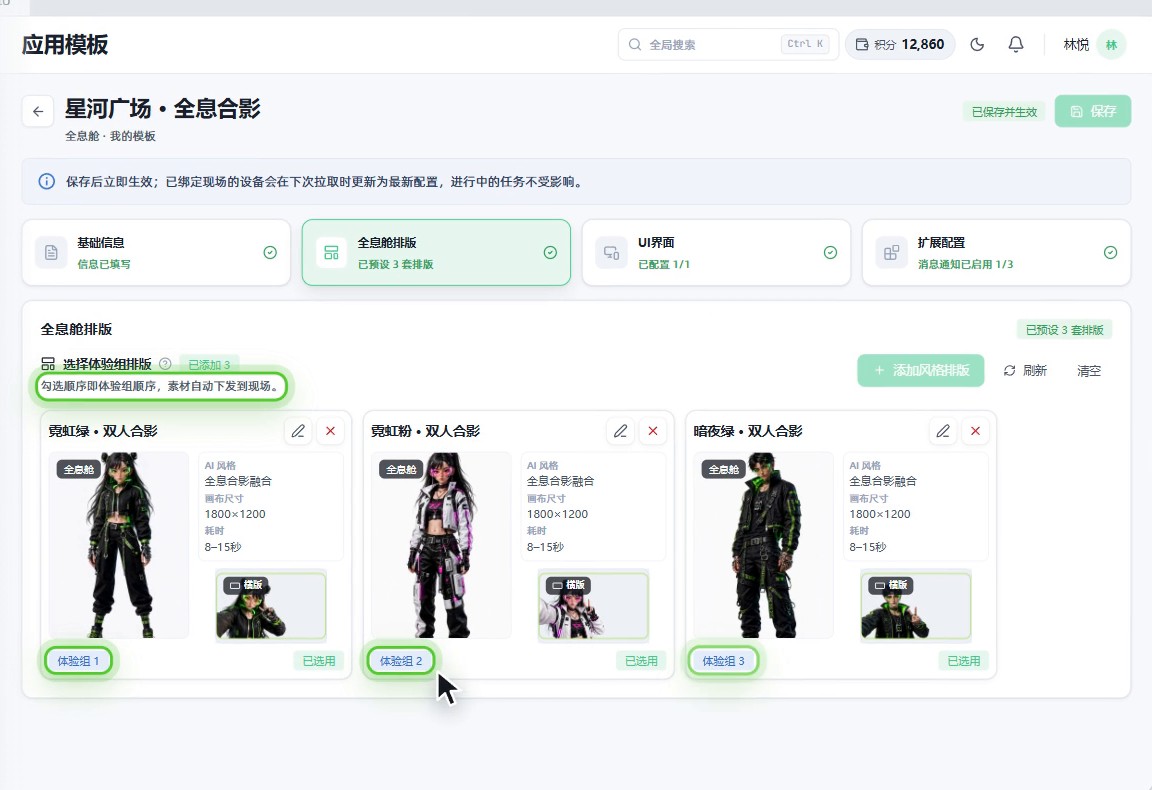
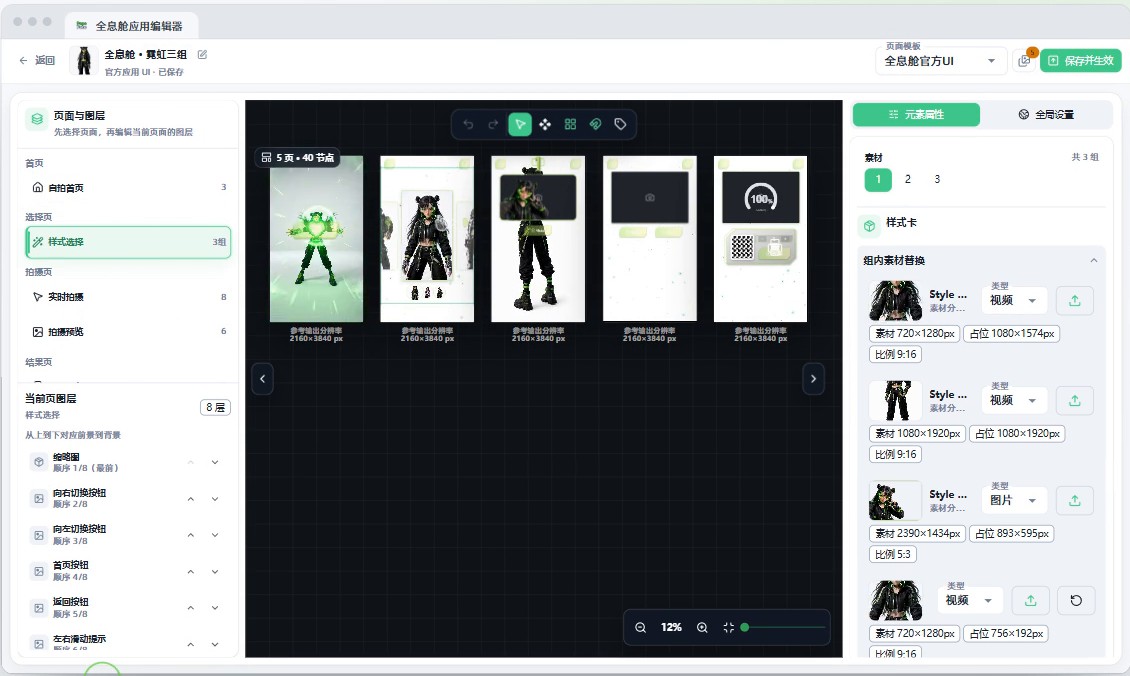
每个角色是一组成套素材加一套排版。在 PepeFoto 平台的应用模板里选好排版,勾选顺序就是体验组顺序;在全息舱应用编辑器里替换角色视频、拍摄背景与合照框,点「保存并生效」。绑定这个模板的全息舱下次拉取配置,就换上新素材。Each character is a set of content plus a layout. In the PepeFoto platform you pick layouts in the app template (the order you tick them is the order of the sets), then swap character clips, backgrounds and frames in the holographic booth editor and hit Save. Booths on that template pick up the new content on their next sync.
软件授权Software licence
全息舱软件按终端授权,一次买断、不收年费,不含硬件;之后只按用量收 AI 积分、按年收相册服务费。舱体硬件、定制角色素材与活动执行按项目报价,以正式报价单为准。The holographic booth software is a perpetual per-terminal licence with no annual fee, hardware not included; after that only AI credits (by usage) and the album service (yearly) are billed. The booth, custom characters and on-site operation are quoted per project; the formal quote governs.
和谁不一样How it differs
选它的理由Why pick it
- 角色先出场再合影:每张体验卡是一组角色视频、拍摄背景和合照框。The character walks on before the shot: each card is a set of character clip, background and frame.
- 人多也走得快:极速流程有几种搭配,可以点启动后全自动,也可以自己点拍照、拍完直接生成。Fast enough for queues: express flow comes in several set-ups, from fully automatic after Start to tapping the shutter yourself and going straight to AI.
- 换活动不用改舱:内容在 PepeFoto 平台改好下发,舱上空闲时同步就换上。New event, same booth: content is changed and published in the PepeFoto platform, and the booth picks it up at its next idle sync.
- 横版竖版合照都能做:两种合照各有一套五页页面素材,按活动要的照片方向选。Landscape or portrait photos: each photo orientation has its own five-screen set, so choose the one your event needs.
和相近软件比Compared with
- 对比vs专业版Pro
两款都能拍照出 AI 照片。全息舱软件多的是舱上体验:选角色卡,角色出场后再合影。专业版多 AI 视频、AI 自训练和「AR 全息照片」;后者是专业版的一项功能,不是全息舱软件。Both take a photo and produce an AI image. The holographic booth software adds the booth experience: guests pick a character card and pose once it has walked on. Pro adds AI video, custom style training and AR holographic photos; the last is a Pro feature, not the holographic booth software.
不适合或要注意Not for, or watch out
- 没有网络的场地:AI 成片和在线二维码都要联网,断网时出现的本地原图不是 AI 成片。Venues without internet: AI photos and online QR codes need a connection, and a local original shown offline is not an AI result.
- 在舱上直接改内容:内容由平台管理员配好下发,舱上只做同步,而且要在空闲时同步。Editing content at the booth: the platform admin sets it up and publishes it, and the booth only syncs, while idle.
- 指望素材文字跟着换语言:切换语言只改界面,素材上写好的字不会自动翻译。Expecting artwork text to translate: the language setting changes the interface only, not text inside your artwork.
适合的工作和场合Where it fits
- 品牌活动和大赛:嘉宾和品牌 IP 或定制角色同框合影。Brand events and contests where guests pose with a brand mascot or a custom character.
- 只发电子版的活动:结果页只留二维码,嘉宾扫码带走。Digital-only events: the result screen shows just the QR code, and guests scan to keep the photo.
- 要当场拿照片的活动:嘉宾选数量打印,带走实体合影。Events where guests want a print: they choose copies and leave with the photo in hand.
- 中英文混合的活动:界面可切简体、繁体或英文。Mixed-language events: the interface switches between Simplified Chinese, Traditional Chinese and English.
现场怎么跑How it runs on site
- 登录激活Sign in and activate
用管理员给的账号登录,激活全息舱许可,把设备码交给管理员。Sign in with the account from your admin, activate the booth licence and give the admin the device code.
- 平台配内容Set up content
管理员在 PepeFoto 平台选好排版,换上角色视频、拍摄背景和合照框,下发到这台舱。In the PepeFoto platform, the admin picks layouts, adds character clips, backgrounds and frames, and assigns them to this booth.
- 同步活动Sync the event
等舱上回到首页、没人在用时同步活动资源,成功后拍一轮检查。When the booth is back on the home screen and free, sync the event resources and run one test round.
- 测试设备Test the hardware
只测实际用的相机或摄像头;要打印就测打印机,测试会用掉纸。Test only the camera or webcam you use; if you print, test the printer too, which uses paper.
- 定流程Set the flow
按人流调倒计时、无人操作回首页的时间和界面语言,人多时开极速流程。Set the countdown, the idle time before returning home and the interface language, and switch on express flow when it gets busy.
- 嘉宾体验Guests play
选角色、合影、确认,等 AI 出片后扫码或打印;完成后回首页交给下一位。Guests pick a character, pose and confirm, then scan or print once the AI photo is ready; the booth returns home for the next guest.
要准备什么What you need
| 软件和许可Software and licence | 全息舱软件和许可;管理员提供平台账号,按设备码给这台舱下发活动。The booth software and licence; your admin provides the platform account and assigns events to the booth by device code. | 含在授权里Included |
|---|---|---|
| 全息舱舱体The booth | 舱体硬件不含在授权里,按项目报价。The booth hardware is not in the licence and is quoted per project. | 不含在授权里Not included |
| 相机或摄像头Camera or webcam | 相机或摄像头都能用,只配置实际用的那一种。Either works; set up only the one you use. | 不含在授权里Not included |
| 打印机(要打印时)Printer (if printing) | 要当场打印才需要,装好驱动、纸张和耗材;只扫码领取可以不配。Only needed for prints on the spot, with the driver, paper and consumables installed; skip it for QR-only delivery. | 不含在授权里Not included |
| 网络Internet | AI 出片和在线二维码都要联网。AI photos and online QR codes need an internet connection. | 不含在授权里Not included |
| 角色素材Character content | 每个角色一组:角色视频、拍摄背景和合照框;定制角色按项目报价。One set per character: character clip, background and frame. Custom characters are quoted per project. | 不含在授权里Not included |
| 页面素材Screen artwork | 横版、竖版各五个页面,画布 2160×3840;帮助站有官方素材示例和设计说明。Five screens each for landscape and portrait on a 2160×3840 canvas; the help centre has official samples and a design guide. | 不含在授权里Not included |
| AI 积分AI credits | 每次 AI 合成按用量扣积分,扣分以积分说明为准。Each AI photo uses credits, at the rate on the credits page. | 不含在授权里Not included |
嘉宾拿到什么What guests get
和角色的 AI 合影An AI photo with the character
嘉宾和选中的角色同框,照片按这一组的排版由 AI 合成。The guest and their chosen character in one picture, composed by AI in that set's layout.
扫码拿电子版A digital copy by QR
成片和可用的二维码出现后,手机扫码保存。Once the photo and a working QR code appear, guests scan to save it.
当场打印A print on the spot
选数量点打印,等实际出纸;也可以设成只扫码不打印。Choose copies and print, then wait for the paper; the booth can also be set to QR only.
AI 失败时的退路A fallback if AI fails
开启失败操作后,生成失败或超时会给出重新生成或用原图继续的入口。With the failure option on, a failed or timed-out photo offers a retry or carrying on with the original.
完整功能Every feature
- 活动资源同步与设备配置Sync activity resources and configure devices
- 相机、摄像头与打印机测试Test cameras, webcams and printers
- 选角色、角色出场、拍照、AI 生成,扫码或打印领取Character choice, walk-on clip, capture, AI generation, and delivery by QR or print
- 按场景调整自动拍照与极速流程Configure automatic capture and streamlined workflows
教程与常见问题Guides and questions
帮助站教程Help-centre guides
常见问题Common questions
想在活动里放一台全息舱?Want a holographic booth at your event?
告诉我们活动时间、人流和想要的角色,我们给一版舱体、素材和执行的方案与报价。广州展厅可预约到场体验。Tell us the date, the footfall and the characters you have in mind — we will come back with a plan and a quote for the booth, the content and on-site operation. Our Guangzhou showroom is open for visits.