

镜面签怎么拍,才能让笔迹和人物同时清晰?How to Keep Both Handwriting and Faces Sharp in Mirror Signature Videos
镜面签的吸引力,是把嘉宾本人和正在写下的签名一起留下来。可在现场,常见的问题是:人物清楚了,镜面上的笔迹却虚了;笔迹足够亮了,脸部又显得暗沉。要让两者同时清晰,不能只看相机像素,而要把空间、录制方式、灯光和景深一起调好。A mirror signature experience captures the guest together with the signature as it is written. On site, a familiar problem appears: the face is sharp but the writing is soft, or the strokes look bright while the face looks dim. Clear results depend on the enclosure, recording method, lighting and depth of field working together.
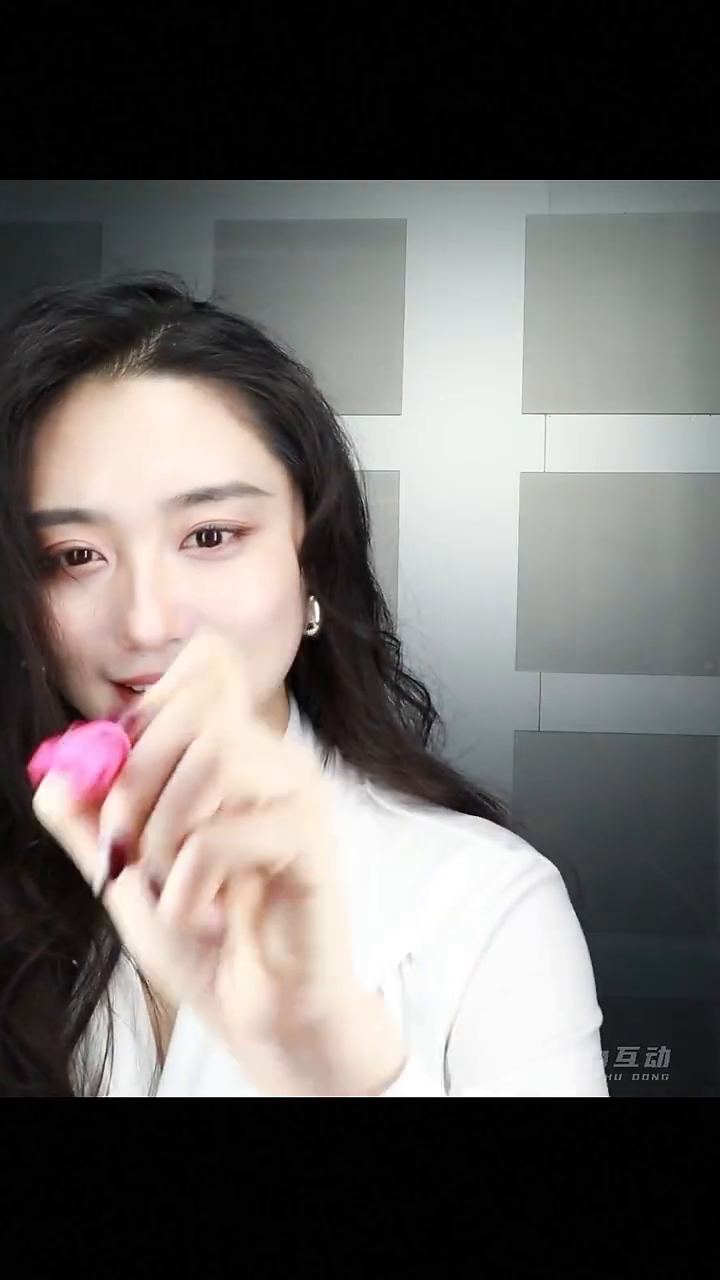
1. 先控制空间:封闭遮光,减少逆光干扰1. Control the space and reduce backlighting
我们的现场方案首先采用封闭、可控的拍摄空间,遮挡后方强光,尽量避免展馆灯光、窗户或明亮背景形成逆光。设备使用镜面模式,单反相机内嵌在镜面后方,从镜面后记录嘉宾的面部和书写动作。Our on-site setup starts with an enclosed, controlled shooting space that blocks strong light from behind the guest. This reduces interference from exhibition lighting, windows and bright backgrounds. In mirror mode, the DSLR sits behind the mirror and records the guest’s face and writing movement.
空间封闭之后,还要从相机实际画面检查:脸部是否正常曝光、镜面是否有明显反光、笔迹是否会被背景亮部淹没。封闭空间的意义,是让光线更容易控制;最终效果仍然要靠现场试拍确认。After setting up the enclosure, check the actual camera image: is the face correctly exposed, are there distracting mirror reflections, and do bright areas obscure the writing? An enclosure makes lighting easier to control; a test recording confirms the result.
2. 保留原生视频:从录制源头保住细节2. Preserve detail with native camera recording
单反相机要录制原生视频,成片使用相机实际录下的视频文件。现场预览方便取景和操作,但在我们这套方案中,预览画面或摄像头模式的画面不应代替原生录制文件作为最终素材。这样可以尽量保留相机录制规格所提供的人物细节、笔迹边缘和色彩层次。Record native video on the DSLR and use the recorded file for the finished output. Live preview is useful for framing and operation, but in this setup it should not replace the camera’s native recording as the source material. This preserves the facial detail, stroke edges and tonal information available in the camera’s recording format.
这里的“原生视频”指相机原生录制的视频文件,并不特指 RAW 视频。现场应核对实际录制规格与导出设置,避免先录好视频,后续却误用了低清预览或经过多次压缩的版本。Here, “native video” means the camera’s recorded video file; it does not specifically mean RAW video. Check the recording and export settings so a lower-resolution preview or repeatedly compressed copy does not accidentally become the final source.
3. 正面加两盏气泡灯:既照亮笔迹,也补亮人物3. Add two front lights for both writing and faces
在原有灯光基础上,我们在机器正面额外增加了两盏气泡灯。它们同时承担两个任务:一是照亮嘉宾正在书写的笔迹,让线条更醒目,呈现明亮的发光质感;二是作为正面二次补光,改善面部下方的阴影。We added two bubble lights at the front of the machine to supplement the existing lighting. They serve two purposes: making the strokes brighter and more visible, with a luminous appearance, and adding frontal fill to soften shadows on the face.
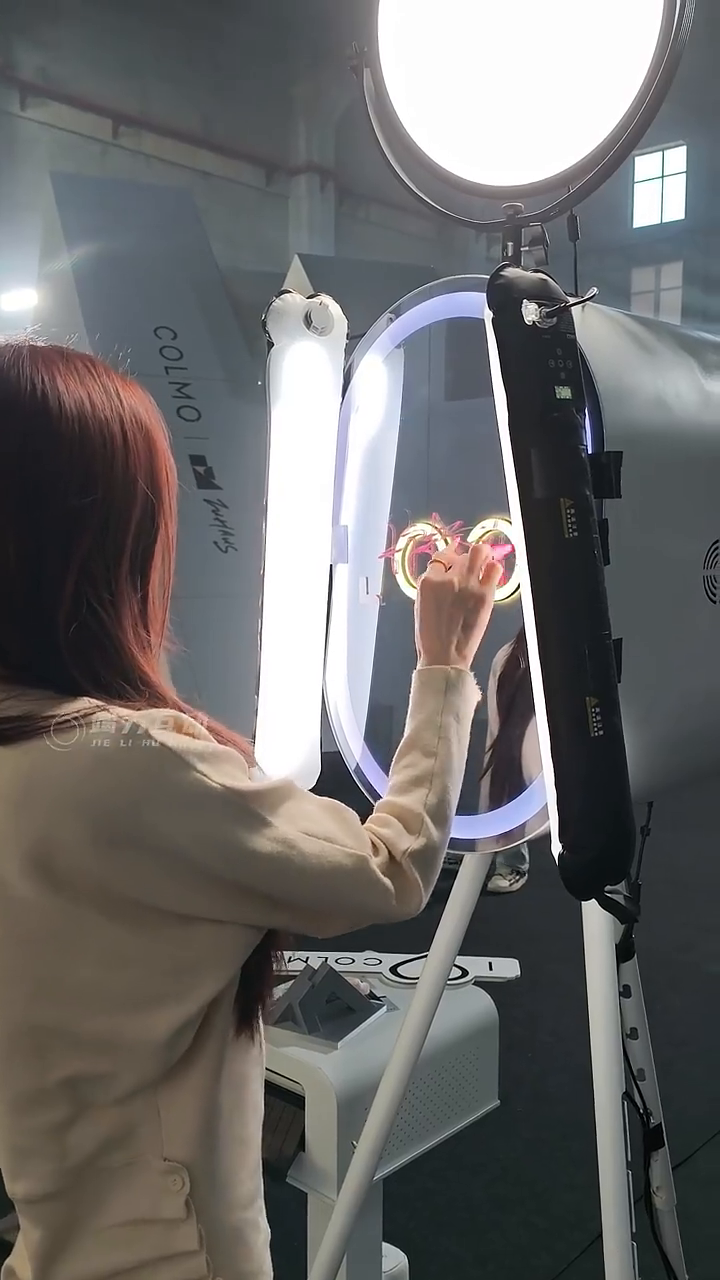
如果只依赖位置较高的灯光,鼻下、眼窝和下巴附近容易出现较重的阴影;正前上方来光时,也可能形成明显的蝴蝶光效果。这样的光影不一定符合这次希望呈现的清透、自然的人像风格。因此,我们通过正面补光,让肤色更均匀,同时保留面部立体感。Relying on a high light source can produce strong shadows beneath the nose, around the eyes and below the chin. A source high and directly in front can also create a butterfly-lighting pattern. That look may not suit the clean, natural portrait style desired here, so front fill helps even out skin tones while retaining facial shape.
调灯时要同时观察脸部和笔迹:笔迹要亮,但不能过曝成一片;脸部要通透,但不要亮到失去细节;灯具角度还要避开镜面中的明显反射。判断标准是实际录制文件里的效果。Adjust the lights while watching both the face and the writing. Strokes should be bright without clipping, facial highlights should retain detail, and light placement should avoid distracting reflections in the mirror. Judge the result from an actual recorded clip.
4. 现场采用 F12:让笔迹和人物进入足够深的景深4. We used f/12 to cover both the writing and the guest
镜面上的笔迹和镜面后方画面中的人物,往往不在同一个距离平面。光圈太大、景深太浅时,就可能出现人物清楚、笔迹模糊,或笔迹清楚、人物模糊的情况。我们此次现场使用 F12,在机位、焦距与嘉宾站位确定后,通过收缩光圈增加景深,让可接受的清晰范围同时覆盖笔迹与人物。The writing surface and the guest are usually at different distances from the camera. A wide aperture and shallow depth of field can leave one sharp and the other soft. For this event we used f/12. With the camera position, focal length and guest position established, stopping down increased the depth of field to cover both the handwriting and the person.
通俗地说,就是让“清晰的范围更厚一些”。但 F12 是这次现场的设置,并不是所有镜面签的固定答案。收小光圈会减少进光量,也不是越小越锐利;需要结合镜头、拍摄距离、补光、快门和 ISO,实际检查静止画面与书写动作。相机原生录制负责保留细节,景深和准确对焦负责让这些细节落在清晰范围内。In plain terms, the zone of acceptable sharpness becomes deeper. F/12 was the setting for this setup, not a universal prescription. A smaller aperture admits less light and is not always sharper. Balance it with the lens, shooting distance, lighting, shutter speed and ISO, then inspect both still moments and writing movement. Native recording preserves detail; depth of field and correct focus keep that detail sharp.
开场前,用一段完整签名做验收Before opening, test one complete signature
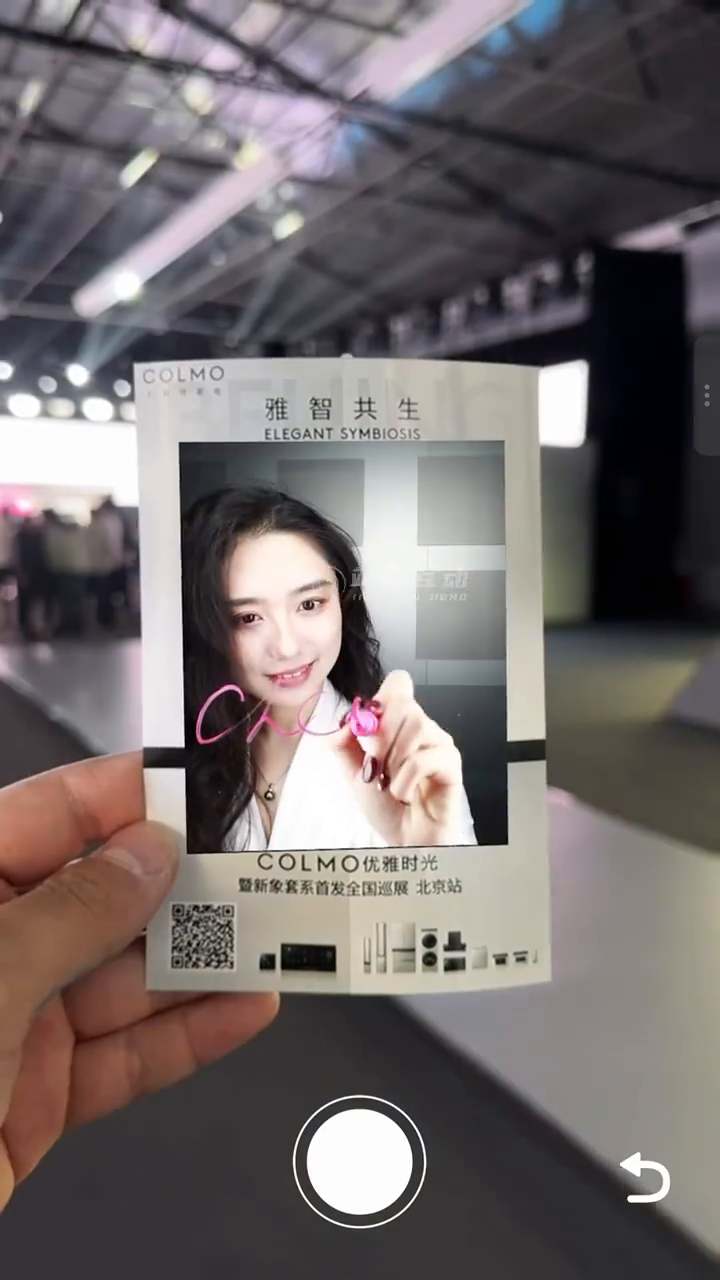
请一位同事站到嘉宾位置,完整写一次签名,再打开相机实际录制的视频检查四件事:眼睛与面部细节是否清楚;笔迹从起笔到收笔是否清楚;书写移动时是否有明显拖影或来回失焦;最终导出的文件是否保留了原生素材的清晰度。确认后,再按不同身高和站位做适当微调。Ask a colleague to stand in the guest position and write a complete signature. Review the camera’s recorded clip for four things: sharp eyes and facial detail, legible strokes throughout the signature, no obvious motion blur or focus hunting during writing, and a final export that preserves the source quality. Then fine-tune for different guest heights and positions.
我们这次镜面签的清晰画质,来自四件事共同配合:封闭空间控制逆光,单反原生视频保留细节,正面双灯兼顾笔迹与肤色,再用合适的景深覆盖人物和书写面。把这四项在现场调到一起,才能既看清签名,也把嘉宾拍得自然、好看。The result comes from four choices working together: an enclosure to control backlighting, native DSLR video to retain detail, two front lights to support both the strokes and skin tones, and enough depth of field for the person and writing surface. Tuning them together makes the signature legible and the portrait natural.
本文根据渔船提供的现场拍摄经验整理。配图截自“new竭力互动”视频号的现场视频,用于说明互动过程;网页截图经历平台压缩,不等同于相机原生视频的画质测试。F12 与双灯配置依据现场记录。Based on on-site filming notes provided by Yuchuan. Images are frames from the event video published by the JELLY INTERACTIVE WeChat Channels account and illustrate the interaction. Platform-compressed frames are not a quality test of the native camera recording. The f/12 setting and two-light configuration come from the on-site notes.
想在你的现场做类似的互动?Want something like this at your event?